- Contents
- How does Google Ads bidding work?
- What is Smart Bidding?
- Every Google Ads bidding strategy, compared
- Strategies that are automated but are not Smart Bidding
- Which bidding strategy should a contractor start on?
- How much should your Target CPA be?
- Maximize Conversion Value and Target ROAS: should you use them?
- How much conversion data does Smart Bidding need?
- What a limited budget does to your target
- How to set up your bid strategy without wrecking your account
- Why is my Target CPA not spending, or running too high?
- Bidding FAQ
Contents
- How does Google Ads bidding work?
- What is Smart Bidding?
- Every Google Ads bidding strategy, compared
- Strategies that are automated but are not Smart Bidding
- Which bidding strategy should a contractor start on?
- How much should your Target CPA be?
- Maximize Conversion Value and Target ROAS: should you use them?
- How much conversion data does Smart Bidding need?
- Why a campaign limited by budget lands on your target, not under it
- How to set up your bid strategy without wrecking your account
- Why is my Target CPA not spending, or running too high?
- Bidding FAQ
—
How does Google Ads bidding work?
Google runs an auction every time someone searches. You set a bid, the most you will pay for a click. Google multiplies that bid by Quality Score (its rating of how relevant your ad and landing page are). The result is your Ad Rank. Ad Rank decides your spot on the page. A more relevant ad can pay less and still sit above a bigger bid.
So bidding is not just picking a number. The number matters less than most owners think. Your ads, your keywords and your tracking do more to set your cost than your bid does. The full auction is covered in how Google Ads works, and what ad quality does to your click price has its own guide.
What is Smart Bidding?
Smart Bidding is Google’s name for its machine-learning bid strategies that set a bid for every individual auction, aiming at conversions or conversion value. Google calls this auction-time bidding. Instead of you setting one bid for a keyword, the machine picks a bid for each search. It reads signals like device, time and location in the moment.[1]
The difference from setting bids yourself is scale. You might adjust bids a few times a day. Smart Bidding adjusts them thousands of times a day, once per auction. One rule sits at the front of all of it. Google states you need conversion tracking turned on before you can use Smart Bidding at all.[1] No conversions to aim at means nothing for the machine to learn from. Setup lives in our conversion tracking guide, and it comes before every other step on this page.
Smart Bidding is a subset of automated bidding. All Smart Bidding is automated. Not all automated bidding is smart. The line is what the machine aims at and how often. Smart Bidding aims at conversions or conversion value, and it sets a bid at auction time, once per search. Plain automated bidding aims at clicks or a page position, and adjusts far less often. That matters for a contractor, because a strategy like Maximize Clicks will happily buy a thousand cheap clicks that never call you.
Every Google Ads bidding strategy, compared
There are four Smart Bidding strategies and three other ways to bid. Two of the Smart ones aim at conversion count, two aim at conversion value. The count ones only need to know a lead happened. The value ones need a dollar figure on that lead. Pick by what your account can feed Google, and by whether you care about efficiency or volume.
| Strategy | Smart Bidding? | What it bids toward | Best for a contractor | Skip it when |
|---|---|---|---|---|
| Target CPA | Yes | An average cost per booked lead you set | The lead-gen default, from day one, inside a portfolio strategy with a cap | Your target is a guess, or you set it below what leads really cost |
| Maximize Conversions | Yes | The most leads your budget can buy, at no set cost | Spending a fixed budget in full while data builds | You need to hold a cost per lead. It has no cost ceiling |
| Maximize Conversion Value | Yes | The most total job value your budget can buy | Accounts that pass a real dollar value back on every job | You count leads, not dollars, like most contractors |
| Target ROAS | Yes | A set return on ad spend | Accounts with real revenue per job flowing back to Google | You cannot value each job yet |
| Maximize Clicks | No | The most clicks your budget can buy | A short stopgap while you build conversion data, with a cost-per-click cap | You can already feed Google conversions |
| Manual CPC | No | Whatever you type in, per keyword | Taking the controls back for a spell when automation is clearly failing | Almost always. It burns your time on work the machine does better |
| Target Impression Share | No | A spot on the page | Your brand campaign, holding the top spot on your own name | Your cost per booked job matters. It does not watch that at all |
A quick note on names, because Google has moved them around. For a while the dashboard called two of these “Maximize conversions with a Target CPA” and “Maximize conversion value with a Target ROAS.” From June 2026 Google shortened them back to Target CPA and Target ROAS.[1] Nothing about how they bid changed. If an older guide or an old screenshot uses the longer name, it is the same strategy.
Strategies that are automated but are not Smart Bidding
This is the line most guides blur, so hold onto it. Maximize Clicks and Target Impression Share are automated. Google sets the bids. Neither is Smart Bidding, because neither aims at a conversion. Maximize Clicks buys the cheapest clicks, which are rarely the ones that book jobs. Target Impression Share chases a spot on the page and runs your bids up to hold it, without caring whether a click ever becomes a call. Manual CPC is not automated at all. You type the bids in yourself.
There is one fair use for Target Impression Share. Your brand campaign, on your own company name. Clicks there are cheap. You just want to hold the top spot so no rival can park on your name. Outside that, if your cost per booked job matters, you are better served by Target CPA. Cost-per-thousand-impression bidding is worth naming too, and then walking past. It is built for awareness, not booked work.
There is a third non-Smart strategy you will still read about, and it is worth knowing it has gone. Enhanced CPC nudged your own hand-set bids up or down. Google made it unavailable for Search and Display campaigns in the week of March 31, 2025. Campaigns that were not moved to another strategy before then are now effectively running on Manual CPC.[2] So if a guide, a template or an old agency report tells you to switch Enhanced CPC on, that advice is years out of date and there is no such switch to find.
Which bidding strategy should a contractor start on?
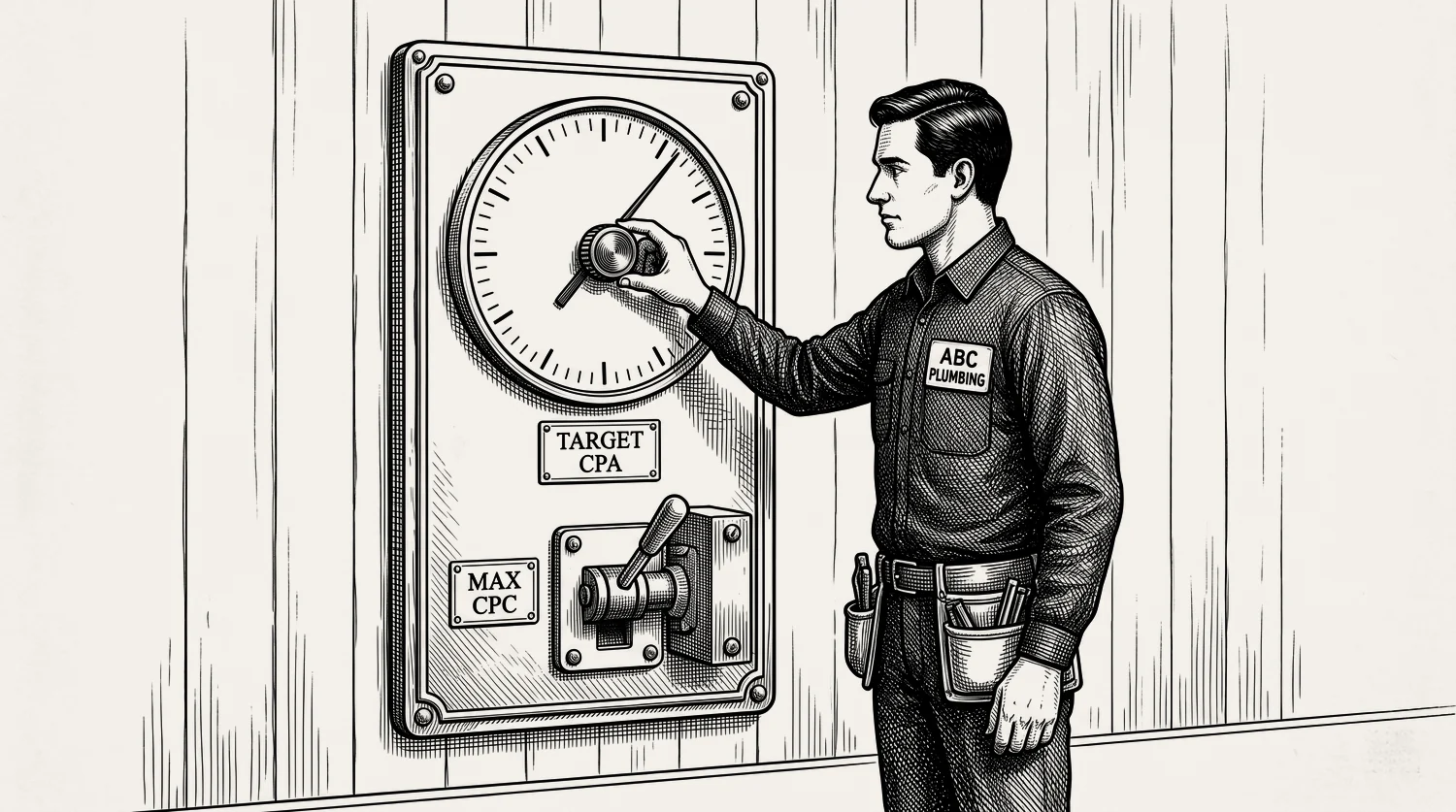
Start on Target CPA from day one. Even with no conversion history. That is not the old advice, and it is deliberate. The trick that makes a no-data start safe is a portfolio bid strategy with a cap on your cost per click. A portfolio strategy is one bid strategy shared across several campaigns, set up in the shared library rather than on the campaign itself. The cap is your seatbelt. It stops a fresh Target CPA paying $40 for a click that should cost $8.
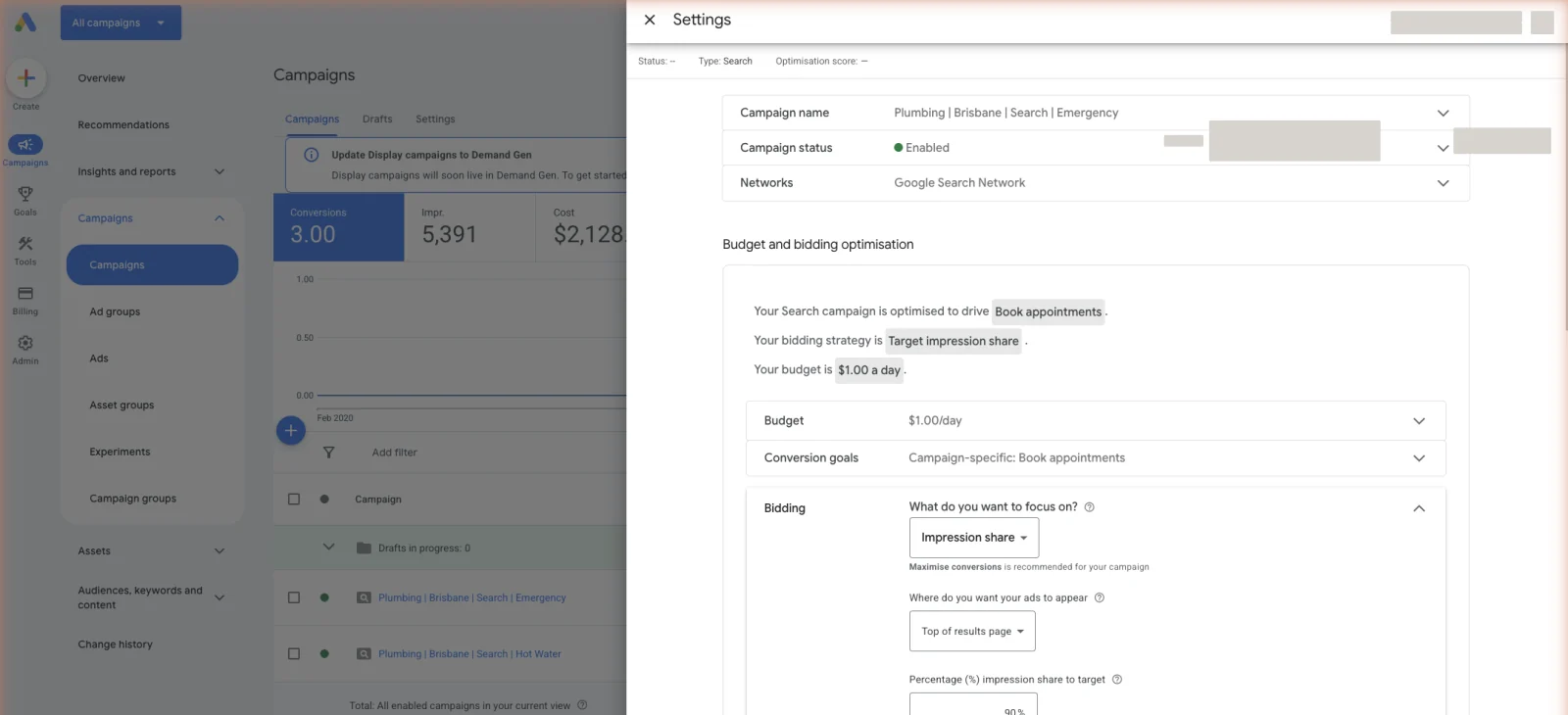
The portfolio part is not optional, so do not skim it. Google only offers those bid limits on a portfolio Target CPA strategy, never on a standard one.[3] Set it up the quick way, as a standard strategy on the campaign, and there is simply no cap field to fill in. That is the whole difference between a safe day-one start and an unprotected one.
Now the honest version of the other path. The old advice was a stair-step. Start on Manual CPC or Maximize Clicks, gather data, move up to Maximize Conversions, then reach Target CPA once you had history. It is still a defensible route, and you will see it tied to a rule of thumb of around 30 conversions in the last 30 days before you switch. Treat that as Google’s guidance, not a locked gate. Our view is that the staircase costs you months. Automated bidding has come a long way, Manual CPC now burns your time on work the machine does better, and the cost-per-click cap solves the same danger the staircase was invented to solve. There is little reason to climb when you can start near the top.
So when is a simpler strategy still the right call? When you genuinely cannot feed Google conversions yet, Maximize Clicks with a cost-per-click cap can keep the lights on while data builds. When an automated strategy is clearly underperforming and you want control back for a spell, Manual CPC has a place. Both are exceptions, not the plan. What you cannot skip either way is conversion tracking.
If someone else runs your account, two questions cover most of this. Which bid strategy are we on, and is there a cap on my cost per click? If the answer is Maximize Clicks months into the job, they are buying you traffic, not booked jobs. If nobody can tell you whether there is a cap, there probably is not one. You should not have to ask twice for either answer, and bidding aimed at booked jobs with a cap on the downside is the least a fee should buy.
Stop reading · start fixingSee where your pipeline is leaking.Free 15-minute Leak Finder. We pull up your numbers, name your biggest leak, and hand you a 90-day plan. No sales script, no hard close.Find My Google Ads LeaksHow much should your Target CPA be?
Build it off your true cost per booked job, not a wish. Start with your own numbers. What is a job worth in profit? How often does a lead become a job? Profit per job multiplied by your close rate gives the most you can pay per lead at breakeven. Your target sits below that, with room to make money.
Work a quick example. Say a job earns you $600 in profit and you close 1 in 4 leads. At breakeven you could pay $150 a lead, so a real target might be $100. That leaves margin. Now sanity-check it against the market. Plumbing and HVAC leads averaged $104 in January 2026. Roofing sits far higher, at a $228.15 median. Your trade, your metro and your close rate decide what good looks like, not a blog average. Know what a booked lead really costs in your trade before you pick the number.
Then set the target the right way round. Start at or above your current average cost per lead, never below it. If you are already getting leads at $90, set the target near $90, let it settle, then tighten in small steps. We call this the ratchet method. Set it to a dream $40 on day one and Google simply stops spending, because it cannot find leads that cheap.
One more thing a bid strategy cannot do. It cannot rescue a budget that is too small. Smart Bidding needs conversions to learn, and a budget that buys a handful of leads a month never gathers enough. Size the budget off booked jobs, using the same breakeven math.
Maximize Conversion Value and Target ROAS: should you use them?
These are the two value strategies, and most contractors should walk straight past both. Maximize Conversion Value buys the most total job value your budget allows. Target ROAS aims at a return on ad spend, which is the revenue a conversion is worth divided by what you spent to get it. You give Google a target, say 400%, and it bids to average that return. The field takes a percentage, so a 4-to-1 return is 400% and 200% is 2-to-1. Same idea, written two ways. Target ROAS went through the same June 2026 naming revert, so what used to read “Maximize conversion value with a Target ROAS” is now plain Target ROAS.[4]
One difference decides the whole question. Target CPA only needs to know a lead happened. Both value strategies need a dollar value on that lead, and Google asks you to set values on your conversions before you switch. Most home-services accounts count calls and form fills, not dollars. A lead is not yet a sale, and Google cannot see the invoice you write two weeks later. Give a value strategy no values and it has nothing to aim at. It is just a slower Target CPA. So the default is simple. Stay on Target CPA.
The value strategies do earn their place in one case. When you put a real dollar value on each job type and pass those values back to Google, they can bid toward your best work. A pipe reline is worth many times an unblock, which is why relining work is bid on its own terms. A full system replacement dwarfs a service call. Getting that back into Google means importing offline conversions, sending the real booked-job value against the click that started it. Setup lives in our offline conversions guide. Most contractors are not there yet, and that is fine.
If you do get there, three things. First, judge the target against your own margin, not a blog figure. Say your profit margin is 40%. You need roughly a 250% return just to cover the job, so a workable target sits above that. Next, start near the return you already earn and raise it in small steps, because asking for 900% in a market that pays 400% chokes spend the same way an over-tight Target CPA does. Last, skip the cost-per-click cap here. Google says bid limits are not recommended on Target ROAS, because they stop it bidding freely.[4]
How much conversion data does Smart Bidding need?
Enough for the machine to see a pattern, and more is better. Here is the shape we plan around. Right after you switch, Google needs a week or two to settle, and results swing during that window. That is the learning phase. It is normal, and it is not a reason to yank the strategy on day three.
| Conversions per month | How steady it runs | Learning period |
|---|---|---|
| ~15 | Wobbly, swings a lot | Up to about a month |
| ~50 | Steadier | Up to about three weeks |
| ~100 | Fast and steady | Up to about two weeks |
| ~500 | Barely wobbles | Up to about two weeks |
Where Smart Bidding struggles is the thin, seasonal account. A campaign with a handful of conversions a month reacts slowly and swings hard. How you split the account into campaigns decides how thin each one gets. A quiet winter can starve it. So what do you do with a thin account? Broaden what counts as a conversion, so the machine sees more signal. Count qualified calls and real form fills, not one narrow action and not every click on your number. Qualified means your office spoke to a real person about a real job, in your area, for work you actually do. Keep the cost-per-click cap on. And be patient through the learning phase. Judge the strategy after it, not during it.
Remember what the machine is worth when you do feed it. Smart Bidding weighs many signals at once for each auction, the device, the time of day, the location, the exact search, and more. You would need to sit in the account all day, every day, to react that fast. Google itself is bullish on the payoff, though it grades its own homework. Its published estimate is about $8 in profit per $1 spent across Search and ads, and about $2 per $1 on the more conservative ads-only measure.[5] Take it as Google’s number, not an independent audit. The honest version is simpler. Fed clean conversion data, the machine usually beats a human at bidding.
What a limited budget does to your target
If you run Target CPA or Target ROAS on a small budget, this is the one mechanic to get your head around. When a campaign runs short of budget, Google steers it to the target you set.[6]
Check whether it applies to you. Open your campaigns and look at the status column. If it says “Limited by budget,” you are in scope. If it does not, this one is not about you, and it does not touch Manual CPC or Target Impression Share either.
Here it is in plain terms. Your target is not a ceiling Google tries to beat. It is the number the campaign aims at. Set a $120 target and expect leads near $120, not $70. So set a target you can genuinely live with paying.
That makes the target worth a look once a quarter. Open the campaign, see what a lead has really cost over the last month or two, and compare it with the number sitting in the box. If the real cost is well below the target, bring the target down to meet it. Google has a bid target adjustment tool that makes it easier. A target is not a set-and-forget number.
How to set up your bid strategy without wrecking your account
Why is my Target CPA not spending, or running too high?
The usual reason spend dries up is a target set too low. If you tell Google to find $40 leads in a market where leads cost $90, it will barely spend. Those cheap leads are not there. Raise the target toward your real average, let it settle, then tighten. A choked campaign is almost always an over-tight target. A too-tight budget or thin conversion data can starve it as well.
A target that runs too high has other causes. Heavy competition in your trade and metro pushes costs up. Seasonality can spike them, like roofing after a storm. Weak conversion tracking is the quiet killer. If Google is counting junk calls as conversions, it aims at the wrong thing and your real cost per booked job climbs. The fourth cause is the mechanic above. If the status column reads “Limited by budget,” the campaign is heading for the target you set instead of beating it, so a cost per lead that sits near your target and will not drop is the system working as built, not a fault. Check that status column before you touch anything, because lowering a target that was never the problem makes things worse. Otherwise: fix tracking, read your search terms report, and give any change time before you move the target again.
Bidding FAQ
Is Smart Bidding worth it? For most local service accounts, yes, once tracking is clean and conversions are steady. It reads more signals per auction than any person can. The catch is data. On a thin account it swings before it settles, so it pays off once you can feed it enough booked-job conversions each month.
What is the best bidding strategy for a small budget or a new account? Target CPA with a cost-per-click cap, in most cases. It aims at booked leads from day one, and the cap keeps a no-data start safe while Google learns. Skip the old habit of starting on Maximize Clicks. If your budget is too thin to gather any conversions at all, Maximize Clicks with a cap can hold the line, but treat it as a stopgap.
How long is the learning period? Usually up to two weeks, sometimes longer on low volume. At around 15 conversions a month it can run up to a month and stay wobbly. At around 100 a month it settles in about two weeks. Do not judge results or change the target while it is still learning, or you restart the clock.
Can I change bidding strategy mid-campaign? Yes. You can switch a live campaign to a new strategy at any time. Expect a fresh learning period of up to two weeks while Google adjusts, so change one thing and wait. Do not switch strategies every week. That resets the learning and hides whether the change helped.
Does Quality Score affect bidding? Yes. Google multiplies your bid by Quality Score to set Ad Rank. A higher score can win a better spot for a lower bid. Better ads and pages raise that score. That is often a cheaper way to cut your cost per click than raising your bid.
What is a good Target CPA? The one that sits below your breakeven cost per lead and still spends. There is no universal number. Plumbing and HVAC leads averaged $104 in January 2026, roofing far higher at a $228.15 median. Work out your profit per job and close rate, and set the target off that, not an industry figure.
Target ROAS or Target CPA for lead gen? Target CPA, for most contractors. Lead-gen accounts count leads, not revenue, and Target ROAS needs a dollar value on every conversion. Move to Target ROAS only once you assign real values by job type and import your phone-sold jobs. Until then, Target CPA is steadier and simpler.
Can Smart Bidding lose me money? Yes, if you feed it bad data. Count every short call as a conversion and the machine will chase junk. Set a target below what a lead really costs and it may choke spend. Clean tracking and an honest target are what keep it profitable.
- 1. Google Ads Help, “About Smart Bidding” ↩
- 2. Google Ads Help, “About Enhanced CPC” ↩
- 3. Google Ads Help, “About Target CPA bidding” ↩
- 4. Google Ads Help, “About Target ROAS bidding” ↩
- 5. Google Economic Impact methodology, 2025 ↩
- 6. Google Ads Help, "Changes to target based bid strategies" ↩
- 7. SearchLight, January 2026, 816 contractors, $14.9M spend
- 8. LocaliQ, 3,211 US campaigns, April 2024 to March 2025


