- What are Google Ads assets?
- Which ad assets should a contractor use?
- How call and location assets drive phone leads
- Still running call-only ads? They stop in February 2027
- What are sitelink, callout, and structured snippet assets?
- Should you use lead form assets?
- Do ad assets cost extra or affect Quality Score and Ad Rank?
- How to set up assets, and manual vs automated
- FAQ
What are Google Ads assets?
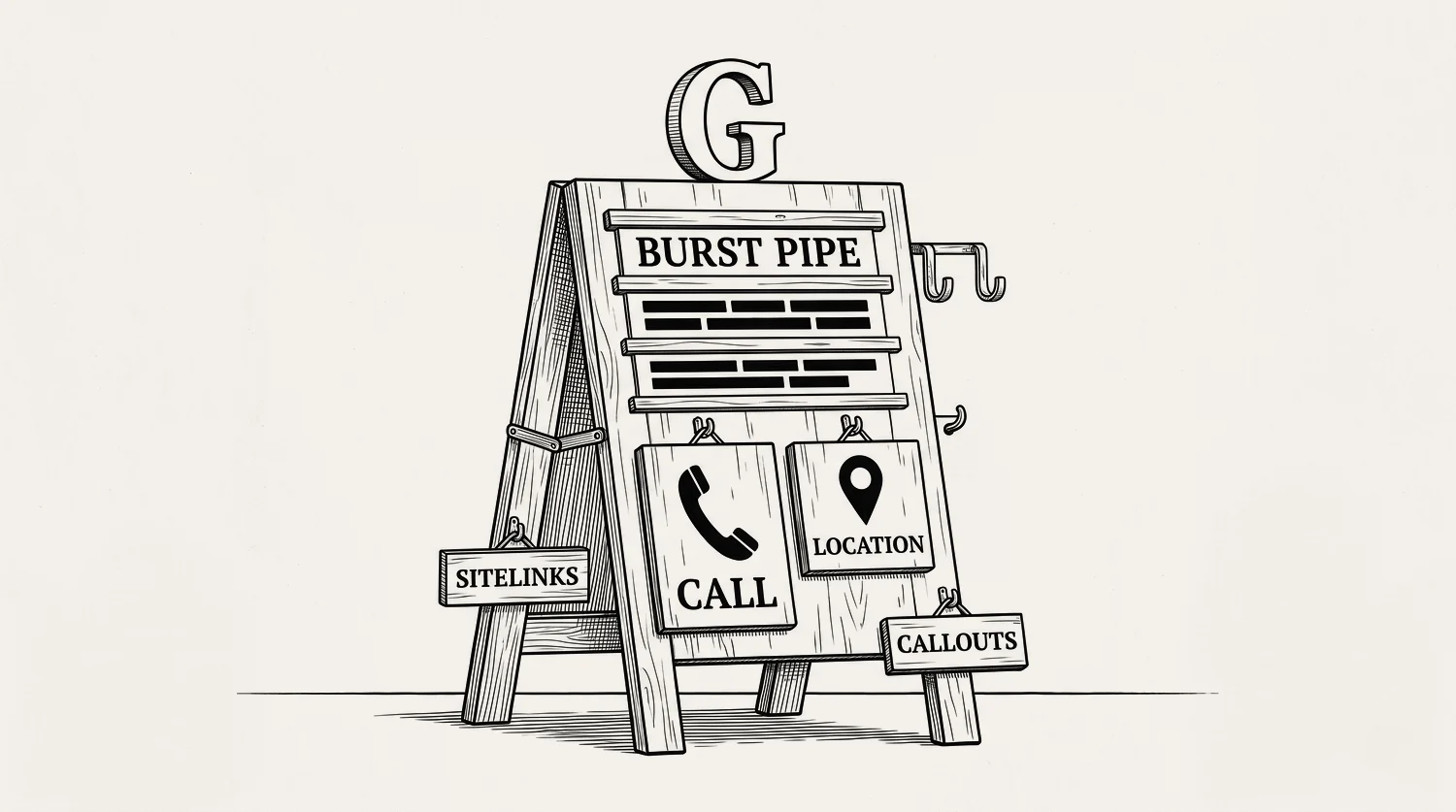
Google Ads assets are extra pieces you attach to a search ad. A tap-to-call number. Your address and map pin. Links to your service pages. Short trust lines like “24/7” or “licensed.” They make your ad bigger and give the searcher more ways to act. They are free to add.
One naming note, because older guides trip people up. Google called these ad extensions until September 2022, then renamed them assets. Same tool, new word. If your last agency talked about extensions, they meant these.
Which ad assets should a contractor use?
Use the assets that turn a click into a phone call or send it to the right page. For a phone-first local business, that order is clear. Below is the verdict, ranked by how directly each one books jobs.
| Asset | What it adds to your ad | Why it books jobs |
|---|---|---|
| Call | A tap-to-call phone number | Highest value. Turns the ad into a phone call, no website visit needed. |
| Location | Your address, a map pin, distance | Proves you are local. Drives calls and directions from nearby searchers. |
| Sitelink | Extra links (services, reviews, contact) | Sends the click to the exact service page instead of the homepage. |
| Callout | Short non-clickable trust lines | Adds proof in the ad: 24/7, licensed, free quotes, upfront pricing. |
| Structured snippet | A labelled list of your services | Shows your range at a glance: drains, hot water, gas, leaks. |
| Lead form | A form the searcher fills in the results page | Catches leads who will not call. Watch the lead quality. |
| Image | A photo beside your ad | Bigger footprint. Use a real job photo, never stock. |
Set up call, location, sitelinks, callouts, and structured snippets on day one. They are free and they lift the number of clicks you turn into calls. Add image and lead form assets after, once the basics are live.
How call and location assets drive phone leads
Call and location assets are the two that matter most for a local service business. A call asset puts a tap-to-call number on your ad. On a phone, the searcher taps and dials. No website, no form, straight to your phone. That is exactly what a burst-pipe or dead-AC searcher wants. The call asset is also now the only way to do it. Google removed the old call-only ad format, so if you want a tap-to-call number on a search ad, this is the setting. If you still have call-only ads running, there is a deadline on them and a job to do. That is the next section.
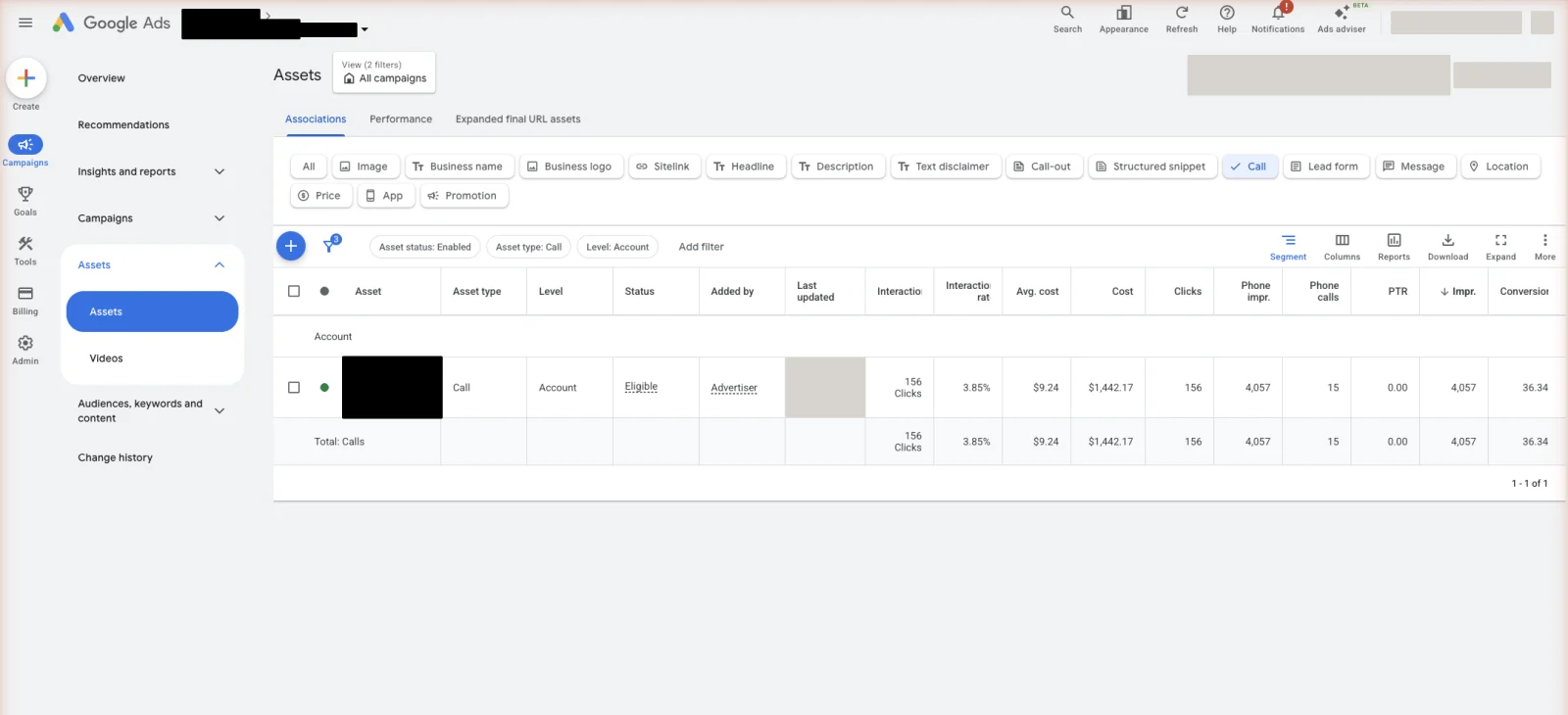
A location asset shows your address, a map pin, and how far away you are, pulled from your Google Business Profile. It proves you are a real local business, not a national call centre. That trust drives calls, and nearby searchers can tap for directions. Set your service area right so the asset shows to the right people. See location targeting. One rule holds for both: if your ad drives calls, someone has to answer. Decide now who that is in office hours and who it is at 9pm, and make sure they know these calls are paid for. An asset that rings a phone nobody picks up just buys you a missed job.
Still running call-only ads? They stop in February 2027
Most contractors can skip this section. It only matters if you still have a call-only ad live. That was the mobile-only ad that dialled your phone when someone tapped it, with no website behind it. If that is not you, jump to the next section. You cannot build one any more, so it never will be.
If it is you, this is urgent. Google set two dates. In February 2026, every option to create a new call-only ad was removed. In February 2027, every call-only ad still running stops being shown.[1]
The second date is the one that costs money. Google is not moving these across for you. There is no automatic upgrade. Its advice is to replace call-only ads with responsive search ads carrying call assets now. So if you do nothing, nothing gets rebuilt. The ad just stops, and the calls it was bringing in go to zero that day.
The fix is to rebuild the same offer in the format that is still allowed. Same phone number, new ad.
Do not leave this to January 2027. If a number fails verification or the new copy gets knocked back, you want that happening while the old ads are still bringing in work.
What are sitelink, callout, and structured snippet assets?
These three are the text assets. They cost nothing, they add trust, and they use your ad’s real estate. Each does a different job.
Sitelinks are extra clickable links under your ad. Send them to the pages that book work: “Emergency service,” “Blocked drains,” “Reviews,” “Book a quote.” A searcher who wants one specific thing lands on it faster.
Callouts are short non-clickable phrases that add proof. “24/7 service.” “Licensed and insured.” “Upfront pricing.” “Free quotes.” Keep each one specific and true.
Structured snippets are a labelled list. You pick a header like “Services” and list the items under it. A roofer might run roof repairs, re-roofing, gutters, storm damage. It shows the searcher your range without them clicking. Use your trade’s real words so it reads like you, not a template.
Should you use lead form assets?
A lead form asset lets a searcher submit their details right in the search results, without visiting your site. It can catch leads who will not pick up the phone. That is the upside. The downside is real too, so go in with open eyes.
Lead form leads are often lower quality than a call. The searcher tapped a form in a hurry and may be shopping five contractors or half-committed. For phone-first trades, a call almost always beats a form. If you do run lead forms, treat them like any web lead: speed decides everything. Call a new lead within five minutes and your odds of qualifying them are 21x higher than at 30 minutes[4]. So the question is not whether you want form leads. It is whether someone in your office is watching for them and ringing back inside five minutes. If nobody owns that job, skip the form asset and push the call.
Do ad assets cost extra or affect Quality Score and Ad Rank?
Assets are free. You do not pay to add them, and you still pay only when someone clicks your ad, the same as before. That answers the common question directly: yes, Google Ads assets are free.
They can also help your ad rank. Google’s Ad Rank takes your expected assets into account. So a strong set of assets can win a better ad position, or lower your cost, at the same bid. Assets can also lift click-through rate by making the ad bigger and more useful. They are one input, not a magic switch. They do not replace a relevant ad and a matching page, which is what your Quality Score rewards. Add every relevant asset, because free lift is free lift. Free footprint matters most when a click is dear, so it helps to know what you are paying per lead.
How to set up assets, and manual vs automated
You add assets at the account, campaign, or ad-group level, under the Assets tab in Google Ads. Set them once at the account level for the ones that apply everywhere, like your call and location assets. Then add service-specific sitelinks per campaign.
If someone else runs your ads, this tab is one of the easiest checks you can make. Ask them to open it and show you. Blank callouts, no sitelinks, and no structured snippet means nobody spent the twenty minutes. These are free, so there is no cost reason to leave them empty. Twenty minutes here is the least glamorous, highest-return work in the account, and getting every free inch of the ad working is where a new account should start.
There are two kinds. Manual assets are the ones you write and control: call, location, sitelinks, callouts, structured snippets. Set these yourself so the wording is yours. Automated assets are ones Google creates for you from your site and data, like dynamic sitelinks or automated callouts. They can help, but they can also pull odd text off your website. Review your automated assets and turn off any that misread your business. Control the parts that carry your promise; let Google fill gaps around them.
There is a second, separate setting worth knowing by name. Text customization writes and swaps in your ad headlines and descriptions, not the add-ons above. Google used to call it automatically created assets, and it now sits inside AI Max. Same rule applies. Check what it wrote before you leave it running.
Stop reading · start fixingSee where your pipeline is leaking.Free 15-minute Leak Finder. We pull up your numbers, name your biggest leak, and hand you a 90-day plan. No sales script, no hard close.Find My Google Ads LeaksFAQ
How many assets should I add? Add every relevant one. Set at least four sitelinks, several callouts, one structured snippet, and your call and location assets. Google will not show them all every time, so giving it more to choose from means a better chance a strong set shows. There is no penalty for adding more relevant assets.
Why aren’t my assets showing? Google only shows assets when it predicts they will help and when your ad position is high enough. Not all show on every search, especially lower on the page. Common fixes: raise ad relevance and bid, add more assets so Google has options, and check none were disapproved. Some showing some of the time is normal.
Do assets apply to all ad types? Assets are built for search ads, where they expand your text ad. Performance Max and some other campaign types use assets differently, as the raw material Google assembles into ads. This guide is about search-ad assets, the ones a contractor sets up to book more calls.
What replaced call-only ads? Call assets did, on a normal responsive search ad. Google removed every option to create a new call-only ad in February 2026, and every existing call-only ad stops being shown in February 2027. Google does not move them across for you, so if you still run any, rebuilding them is your job and there is a deadline on it. The steps are above, in still running call-only ads?
Do call assets only show on mobile? The number shows mainly on mobile, because that is where a tap can dial. The ad itself still shows on any device. So unlike the old call-only ad, which was mobile only, you keep the desktop searcher and get the phone number where it is useful.
How do I stop the number showing when nobody can answer? Put an ad schedule on the call asset or the campaign so the number only appears during your real answering hours. If you sell 24/7 emergency work, run it around the clock, but only if a person genuinely picks up at 2am. A number that shows when nobody answers just buys you missed jobs.
- 1. Google Ads Help, “Action required: transition from call ads to call assets” ↩
- 2. Google Ads Help, “How to transition from call ads to call assets” ↩
- 3. Google Ads Help, “About phone call conversion tracking” ↩
- 4. Lead Response Management study, 2007 ↩
- 5. SearchLight, January 2026, 816 contractors, $14.9M spend
- 6. LocaliQ, 3,211 US campaigns, April 2024 to March 2025


