
- What is location targeting in Google Ads (and why does it waste money)?
- What is location-based targeting, and what are the options?
- How do I change my location targeting settings?
- How do I stop Google choosing where my ads show?
- How tight should a contractor's service-area radius be?
- Which locations should you exclude (and how)?
- Should you bid more in your best areas?
- How do you spot geo-leakage in your reports?
- FAQ
What is location targeting in Google Ads (and why does it waste money)?
Location targeting tells Google where to show your ad, based on where the searcher is. It is one of the strongest levers a local contractor has. It is also where a lot of budget quietly leaks. The reason is the default setting. Out of the box, Google shows your ad to people who are in your area or just “interested in” it. That second group can be anywhere.
So you set your city and feel done. Then you pay for clicks from people three states away who once looked up your town. They will never book you. The click still costs the same. At a $104 blended cost per lead, those wasted clicks add up fast.
The good news is this is a settings fix, not a rebuild. Two changes stop most of it. Target by presence only, and tighten your radius. The rest of this guide walks through both.
What is location-based targeting, and what are the options?
Location targeting works at three levels. You can target a whole country. You can target an area inside it, like a city or postcode. Or you can target a radius around a point on the map. For a contractor, area and radius are the useful ones. Under each, Google gives you a second choice that matters more than most people notice: who counts as “in” your location.
The two options are presence and presence-or-interest. In the settings they read as “Reach people in, regularly in, or who’ve shown interest in your targeted locations (Presence or Interest)” and “Reach people in or regularly in your targeted locations (Presence)”. The first is the default, and Google marks it as recommended.[3] It is also the one that leaks. Presence is the one you want.
Be ready for that recommended label. Google is not hiding anything from you, it just serves a lot of advertisers who genuinely want the wider net. A national retailer wants the person planning a trip to your city. You do not. You want the person whose ceiling is leaking tonight, and they are standing under it.
There is a related idea called geofencing, drawing a tight boundary around a specific spot. It is not the same as everyday geotargeting. We cover the difference on its own page. For most contractors, presence targeting with a sensible radius is all you need.
There is one more control worth knowing about, and it is new. If you switch on AI Max in a Search campaign, you get a setting called locations of interest, which works at the ad group level.[4] It targets the place the searcher is asking about rather than the place they are standing. Someone typing “roof repair Newtown” is telling you about Newtown, wherever they happen to be sitting. That is useful for a contractor in a way plain interest targeting never was, because the searcher named the suburb themselves. It is a sharper tool than the leaky default. Treat it as something to test once your account is settled, not a day-one setting. The rest of what that switch changes is in our guide to what AI Max does to a Search campaign.
How do I change my location targeting settings?
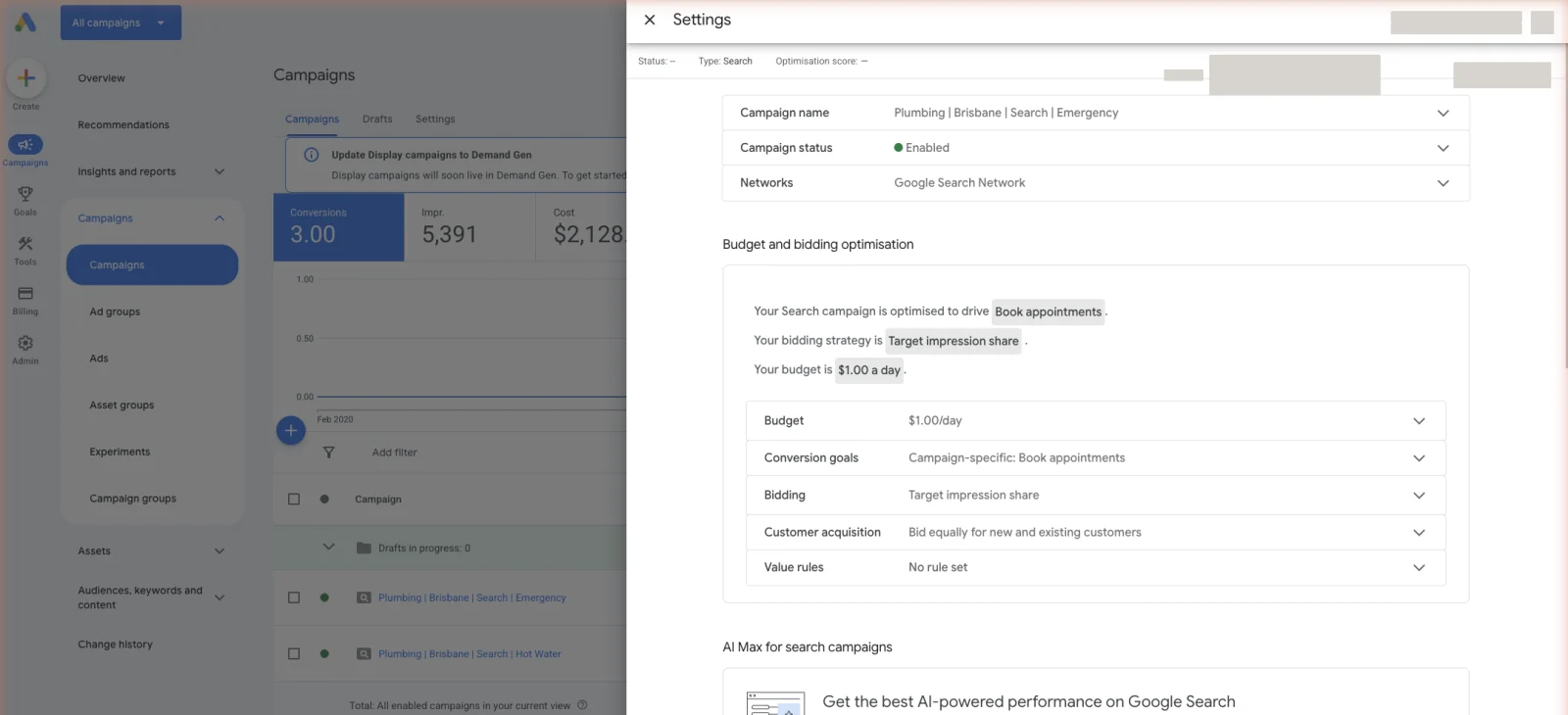
Open the campaign, click Settings, then find Locations. Add the areas or radius you serve. Then click into Location options, which sits just below, and switch the target setting from “presence or interest” to “presence.” While you are there, add any areas you want to exclude. That is the whole fix, and it takes about two minutes.
Do it for every campaign. Location options do not carry over on their own, and Google resets to the leaky default on new campaigns. If your ads are not showing at all after this, that is a different problem, covered in why your ads aren’t showing.
Check your work by opening the location report later. It shows where clicks actually came from, so you can confirm the fix held.
How do I stop Google choosing where my ads show?
Turn off presence-or-interest. That is the setting letting Google show your ad to far-away searchers. In Location options, choose “Reach people in or regularly in your targeted locations (Presence)”. Now you only pay when someone is actually in your service area. This single change stops the most common location leak in a local account.
Google frames the interest option as extra reach. For a contractor, extra reach usually means extra waste. A homeowner in another state cannot hire you to fix their heater. Paying for that click is pure loss, and at these lead costs it is loss you feel.
If someone else runs your ads, this is the first question to put to them. “Are we set to presence, or presence or interest?” It is a ten-second answer for anyone who has opened the account. A vague reply, or a promise to check and get back to you, tells you plenty on its own. Only paying for clicks from inside your service area is the floor, not an achievement.
Set it once, correctly, on every campaign. Then the only people seeing your ad are the ones who could actually become a booked job.
How tight should a contractor’s service-area radius be?
Match the radius to where your crew will really drive. For most trades that is the suburbs within a sensible drive time, not the whole metro. A radius that feels safe and wide just buys clicks for jobs on the far edge. That is where the drive eats your margin. Tighter targeting means fewer clicks, but the clicks you get are ones you would actually take.
There is one exception. High-ticket work can justify a wider radius. A $12,000 job is worth a longer drive in a way a $200 callout is not. So a foundation repair crew or a pipe relining crew can reach further than the van doing blocked-drain callouts. Let the job value set the distance, and set it per campaign if your services differ that much. Getting that radius right is one of the plainer wins in a foundation repair account, where a single job can carry the month.
Cut the fringe suburbs where you rarely win or barely profit. You can always widen later if you have spare capacity. It is easier to grow a tight radius than to claw back a loose one.
Which locations should you exclude (and how)?
Exclusions are the other half of good targeting. Even with a tight radius, some areas creep in. Add them as excluded locations so your ad never shows there. Common ones to cut: low-value suburbs you do not want to drive to, neighbouring regions outside your license or service area, and any state or country sending you junk clicks.
Build the exclusion routine into your weekly check. Open the location report, sort by spend, and look for areas taking money without booking jobs. Add them to your excluded locations. It is the same discipline as pruning your search terms, just for geography. The other big weekly leak, junk searches, is handled with negative keywords.
- Exclude suburbs outside your real drive time.
- Exclude regions outside your license or coverage.
- Exclude any out-of-state or overseas areas that slip through.
Should you bid more in your best areas?
Yes, once you have data. Some suburbs book jobs better than others. When your location report shows a clear winner, raise your bids there with a location bid adjustment. Trim bids in the weaker areas. That pushes more of your budget toward the places that actually turn clicks into booked jobs.
Do not do this on day one. You need enough conversions per area to trust the pattern. Guessing which suburb is best before you have data just moves the waste around. Wait until the location report has real booked-job data, then adjust.
Keep watching the granular reports after you adjust. Areas shift with seasons and competition. A suburb that was strong in spring can cool off. Bid adjustments are a habit, not a one-time setting.
How do you spot geo-leakage in your reports?
A geo-leak is just money you spent on people outside the area your crew serves. You find it in one report. Use the Locations report. It comes in two views, and the difference between them is the whole point. “Targeted locations” shows how the areas you picked are performing. “Matched locations” shows where your ads actually turned up. Read the second one. It is where you catch the towns you never meant to buy. Sort by spend and scan for areas that took money but booked nothing. Those are your leaks. Exclude them or tighten the radius so they stop.
This report is also how you catch the interest-targeting leak if you missed it. If you see spend from towns far outside your radius, presence-or-interest is still on somewhere. Go back and switch it off. For the full cost picture behind these clicks, see what these clicks cost by trade.
Make this a weekly ten-minute habit. The location report is the quickest place to find money you are handing to Google for nothing. And remember, the in-area leads you keep still have to be answered fast to pay off. Call within 5 minutes and your odds of qualifying a lead are 21x higher than at 30 minutes.
Stop reading · start fixingSee where your pipeline is leaking.Free 15-minute Leak Finder. We pull up your numbers, name your biggest leak, and hand you a 90-day plan. No sales script, no hard close.Find My Google Ads LeaksFAQ
Can I exclude certain locations from seeing my ads? Yes. In the campaign’s Locations settings, add areas as exclusions. Your ad will not show there. This is how you cut low-value suburbs, out-of-area regions, and junk-click areas. It works even when they sit inside your broader radius.
Can I target multiple locations at once? Yes. You can add several cities, postcodes, or radius targets to one campaign. Just keep them to areas you actually serve. Use presence targeting so you do not pay for far-away searchers who only looked your area up.
What are the most common location targeting mistakes? Leaving the default on “presence or interest,” setting a radius wider than you will drive, and never checking the location report. All three quietly spend money on people who cannot become booked jobs. Fixing the setting and pruning the report weekly stops most of it.
Does location targeting affect my cost per lead? It can, a lot. Paying for out-of-area clicks that never convert drags your cost per booked job up. Tighter targeting means fewer wasted clicks, which lowers the true cost of every job you win.


