- Contents
- Which campaign settings waste the most money?
- Should you turn off auto-apply recommendations?
- What are Google search partners?
- Should you turn off search partners?
- Should you use Display Expansion on a Search campaign?
- Presence or interest: which location option should you use?
- What should your ad rotation setting be?
- What does the campaign-level broad match setting do?
- Which settings trigger the September 2026 AI Max upgrade?
- How to check all of these in ten minutes
- Campaign settings FAQ
Contents
- Which campaign settings waste the most money?
- Should you turn off auto-apply recommendations?
- What are Google search partners?
- Should you turn off search partners?
- Should you use Display Expansion on a Search campaign?
- Presence or interest: which location option should you use?
- What should your ad rotation setting be?
- What does the campaign-level broad match setting do?
- Which settings trigger the September 2026 AI Max upgrade?
- How to check all of these in ten minutes
- Campaign settings FAQ
—
Which campaign settings waste the most money?
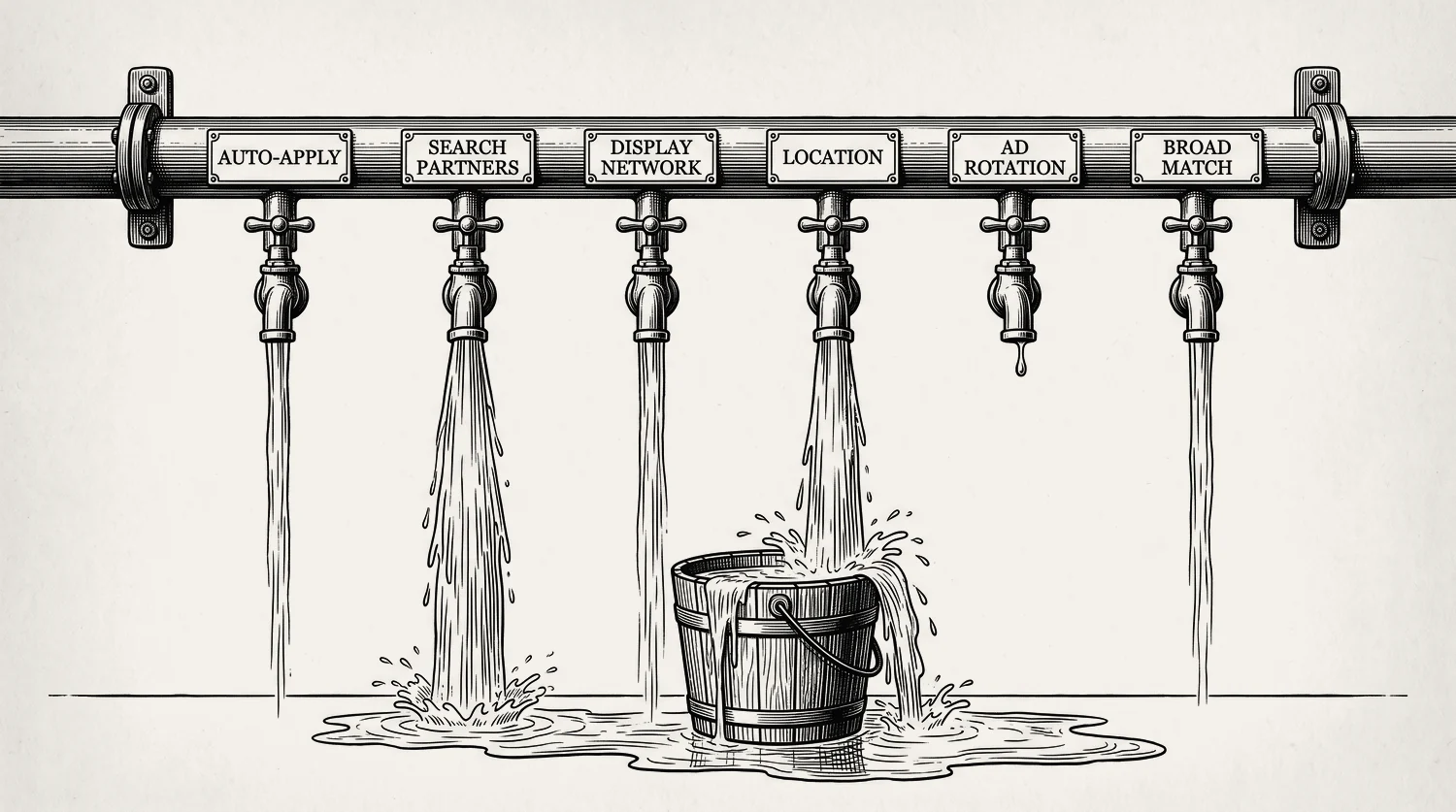
Six settings do most of the damage on a local service account. None of them are broken. They are built to spend your budget across as much of Google as possible, and your budget only needs to cover the people in your service area who need the job done now. Size that budget properly first, then close the leaks below. Here is the whole list in one table.
| Setting | Where it lives | What it costs you | Set it to |
|---|---|---|---|
| Auto-apply recommendations | Campaigns menu, Recommendations, “Auto-apply settings” | Google changes your account while you sleep, usually by broadening or raising spend | Off, all of them |
| Search partners | Campaign settings, Networks, “Include Google search partners” | Clicks from sites that are not Google Search, at your Search prices | Off to start, test it later |
| Display Network | Campaign settings, Networks, “Include Google Display Network” | Banner clicks from people who were not searching for you at all | Off |
| Location options | Campaign settings, Locations, “Location options” | People three states away who searched about your city | “Presence” |
| Ad rotation | Campaign settings, Ad rotation | Little, if you are on Smart Bidding. This one is oversold | Leave on “Optimize” |
| Broad match keywords | Campaign settings, “Broad match keywords” | Every search Google thinks is related, on your dime | Off, unless you chose it on purpose |
The two that cost the most are the two nobody looks at: search partners and the location option. Both are on by default, and neither shows up as a problem in your reports. They just quietly widen who your money goes to.
Should you turn off auto-apply recommendations?
Yes. Auto-apply lets Google make changes to your account without asking you first. To switch it off, open the Recommendations page in the Campaigns menu, select “Auto-apply settings,” uncheck everything, and select Save. You can also reach it from the Admin menu under Account settings.
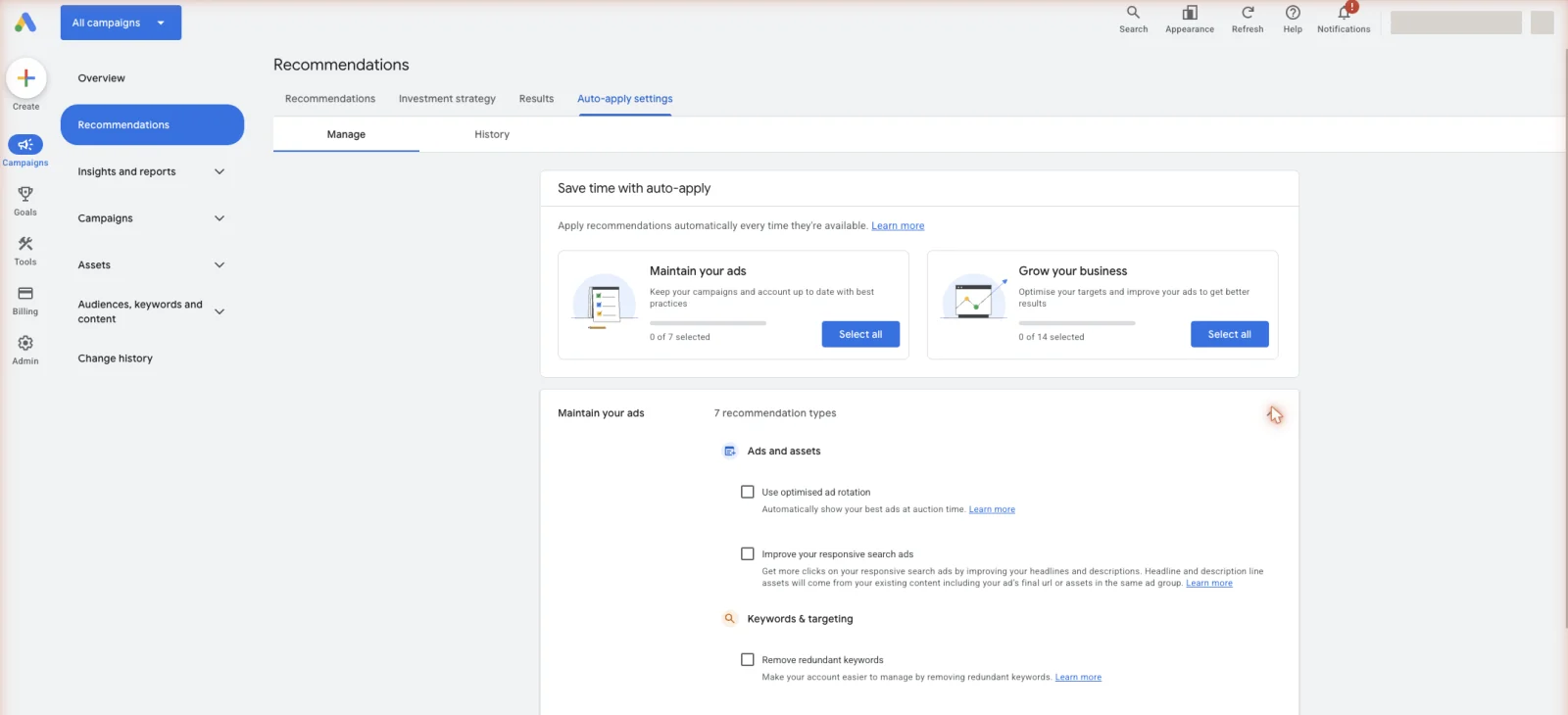
Google groups these into two bundles, “Maintain your ads” and “Grow your business.” Read the second name again. Grow whose business? The changes in these bundles tend to broaden your match types, raise your budgets, and switch on more automation. Some are harmless. Applied without you watching, on a budget that has to cover a rig payment, they are not.
There is a “History” tab beside the auto-apply settings that shows what has already been applied and when. Check it before you change anything. If your costs jumped last month and nobody on your team touched the account, this tab is where you will find out why. You can also turn on a weekly email summary of auto-apply activity, which is worth having even after you switch the changes off. And to be fair about it, not every recommendation is bad. A few are worth applying by hand, which is a different job, covered in which recommendations are worth taking. The rule is simple: you apply them, not Google.
What are Google search partners?
Google search partners are sites that are not Google but still show Google search ads. Google describes them as extending the reach of Google search ads and listings “to hundreds of non-Google websites, as well as YouTube”.[1] You are billed the same way as on Google Search: only when someone clicks.
The part that catches contractors out is that you are opted in without doing anything. Google states that “when you create a campaign for the Search Network, search partners are included by default.” The checkbox is “Include Google search partners” in the Networks card of your campaign settings. Nobody ticks that box. It ticks itself, on every campaign you build.
So your ad is not only showing to the person who typed “burst pipe” into Google. It is also showing on other companies’ search results pages, directory sites and YouTube, to people in a different frame of mind. Same price, different intent.
Should you turn off search partners?
Start with it off, then test it properly later. Not because partner traffic is fake, and not because Google is doing anything sneaky. It is that partner clicks come from a weaker moment of intent and cost you the same as a Google Search click. On a roofing account where a click runs a $10.70 median, a slice of budget landing somewhere softer is real money off next week’s calendar.
The good news is you no longer have to guess, and this is the part most contractors have never been shown. Two reports settle it:
| What you want to know | Where to look | What it tells you |
|---|---|---|
| Are partners costing more per booked job? | Segment your campaign table by network | Search partner clicks, cost and conversions on their own row, apart from Google Search |
| Which sites am I actually paying for? | Report editor, “When and where ads showed,” Content Suitability | The specific partner sites your ads ran on and the impressions each one got |
Read the network segment first, over at least a month, and judge it on cost per booked job rather than clicks or cost per click. If partners are producing calls at a price you would happily pay again, leave them on and stop worrying about it. If they are producing clicks and no calls, uncheck the box. You can also exclude individual partner sites rather than the whole network, by following Google’s site exclusion instructions, which is the middle path if most of the network works and one site is eating your budget.
Honest caveat, because it matters on a small account. Turning partners off cuts your reach, and on a thin budget in a small metro that can leave your campaign short of the conversion data Smart Bidding needs. If you are already scraping for volume, change one thing at a time and watch what happens to booked jobs before you decide.
Should you use Display Expansion on a Search campaign?
No. This is the clearest leak on the list. The checkbox is “Include Google Display Network” in the Networks card. Ticked, your Search campaign also buys banner space on websites and apps, shown to people who were not searching for anything.
Google’s framing is that it uses money you were not going to spend anyway. Its documentation says the feature “will aim to use only unspent Search budget” and “won’t typically affect your spend on Search”.[2] Read that carefully. “Aim” and “typically” are doing a lot of work, and Google notes it does not apply to shared budgets or campaign experiments. The deeper problem is intent. Someone who typed “burst pipe emergency” is ready to book. Someone who saw your banner beside a recipe is not. Mixing the two into one campaign muddies your numbers and gives Smart Bidding a confused picture of what a conversion looks like. If you want to reach past searchers later, that is a separate campaign and a separate decision.
Stop reading · start fixingSee where your pipeline is leaking.Free 15-minute Leak Finder. We pull up your numbers, name your biggest leak, and hand you a 90-day plan. No sales script, no hard close.Find My Google Ads LeaksPresence or interest: which location option should you use?
Use “Presence.” This setting sits under Locations in your campaign settings, behind a small “Location options” link that most owners never open. Google’s default is “Presence or interest,” which it describes as reaching “people in, regularly in, or who’ve shown interest in your targeted locations”.[3]
That word “interest” is the leak. It means someone can be nowhere near you and still see your ad, because Google decided they showed interest in your area. A homeowner in another state researching foundation repair costs before they move. Someone reading about basement waterproofing in a town they used to live in. You pay for that click at your local rate, and they were never going to book you.
Switch to “Presence,” described as “people in or regularly in your targeted locations.” Note that “regularly in” still covers the person who commutes into your service area, so you are not cutting off real local customers. This is the single fastest fix on this page, and on tight service areas it usually shows up in your search terms within two weeks. Full detail on radius versus city targeting sits in its own guide.
What should your ad rotation setting be?
Leave it on “Optimize” and move on. There are two options. “Optimize” serves the ads that look likely to do better. “Do not optimize” rotates them more evenly for an indefinite time. Google says “do not optimize” is not recommended for most advertisers, and that if you use Smart Bidding, Google Ads automatically uses the “Optimize” setting anyway.[4]
We are including this one to tell you it is mostly a dead lever, because half the audit checklists online still treat it as a big win. If you run Target CPA or any other Smart Bidding strategy, and most contractors should, the setting is already handled for you. The real version of this question is whether you have more than one ad per ad group to rotate at all. Plenty of accounts we open have exactly one, which makes the whole debate moot. Write a second one.
What does the campaign-level broad match setting do?
It turns your whole campaign over to broad match. In your campaign settings there is a “Broad match keywords” card with two choices: “On: Use broad match keywords for your entire campaign” and “Off: Use keyword match types.” Switched on, it converts every existing phrase and exact keyword in that campaign to broad, and every keyword you add after that.[5] It is only available on conversion-based Smart Bidding.
Broad match means Google matches your ad to searches it judges related, not just the words you chose. On a plumbing account that is how you end up paying for “plumbing courses” and “how to fix a tap yourself.” Neither of those people is calling you. Both of them cost the same as a real one. Holding that line week after week is what keeps a plumbing account off the searches that never ring.
There is a fair case for it, and it is not the case Google’s rep will make. Broad match works when your conversion tracking is clean, your budget is big enough to feed it, and your negative keyword list is already strong. If any of those three is missing, it is an expensive way to find out. Most accounts should set match types keyword by keyword and build the negative list first. The other thing this setting now does is decide your September 2026, which is the next section.
Which settings trigger the September 2026 AI Max upgrade?
Two of them. Starting September 2026, Google automatically upgrades Search campaigns that use text customization, or the campaign-level broad match setting, to AI Max.[6] Text customization is the setting formerly called automatically created assets, and it now sits inside the AI Max panel in your campaign settings.
What each campaign gets is not the same, so check which one you are:
| What your campaign uses now | When | What gets switched on |
|---|---|---|
| Text customization (was automatically created assets) | September 2026 | Search term matching and text customization |
| Campaign-level broad match setting | September 2026 | Search term matching |
| Dynamic Search Ads | February 2027 | Search term matching, text customization and final URL expansion, with your existing URL controls kept |
Google moved the Dynamic Search Ads date back to February 2027 in an update published 11 June 2026, so ignore any blog still saying September for those. Agency posts got this wrong all year. This is worth a diary entry, not a panic. AI Max is a setting, not a new campaign type, and you keep real controls over it. What changes, what you can still steer, and what to watch afterwards is the whole of the AI Max guide. The point for this page is narrower: two settings you may have switched on years ago now decide whether that upgrade lands on you next month.
How to check all of these in ten minutes
Work through it in this order. One pass, one campaign at a time.
Campaign settings FAQ
Where are campaign settings in Google Ads? Open the Campaigns menu, select Campaigns, then the Settings tab at the top, then the campaign you want. Networks, Locations, Ad rotation and the “Broad match keywords” card all live there. Auto-apply is the exception. It sits on the Recommendations page and applies to the whole account.
Are search partners on by default? Yes. Google states that when you create a campaign for the Search Network, search partners are included by default. The checkbox is “Include Google search partners” in the Networks card. You can uncheck it at any time, and you can review partner performance separately by segmenting your report by network.
Does turning off search partners reduce my leads? It reduces your reach, which is not the same thing. You will see fewer impressions and clicks. Whether you see fewer booked jobs depends on whether partner traffic was converting for you. Segment by network first, look at cost per booked job, then decide. Do not guess in either direction.
What is the difference between presence and presence or interest? “Presence” shows your ads to people in or regularly in your targeted locations. “Presence or interest” adds people anywhere who Google thinks have shown interest in those locations. For a contractor serving a fixed radius, presence or interest buys clicks from people who cannot hire you.
Will Google change my settings without telling me? It can, if auto-apply recommendations are switched on. That is the one setting on this page that gives Google permission to edit your account by itself. Turn it off, then check the “History” tab to see what was applied while it was on.
- 1. Google Ads Help, “About the Google Search Network” ↩
- 2. Google Ads Help, “About Display Expansion on Search campaigns” ↩
- 3. Google Ads Help, “About location targeting” ↩
- 4. Google Ads Help, “Use ad rotation” ↩
- 5. Google Ads Help, “About the broad match keywords campaign setting” ↩
- 6. Google Ads Help, "Set up AI Max for Search campaigns" ↩
- 7. SearchLight, January 2026, 816 contractors, $14.9M spend
- 8. LocaliQ, 3,211 US campaigns, April 2024 to March 2025


