- What are keyword match types in Google Ads?
- What are the three types of keyword matching?
- How does broad match work (and when is it a trap)?
- How does phrase match work?
- How does exact match work?
- Which match type should a contractor actually use?
- How do close variants change what your keyword matches?
- Do match types still matter with Smart Bidding and AI Max?
- FAQ
What are keyword match types in Google Ads?
A keyword match type is the setting that tells Google how closely a person’s search has to match your keyword before your ad can show. It is a dial between reach and precision. Turn it toward reach and you show for more searches, some of them junk. Turn it toward precision and you show for fewer, cleaner searches. There are three types, and picking them well is what separates a tight account from a leaky one.
The stakes are plain in the numbers. A blended plumbing and HVAC lead cost $104 in early 2026. In roofing the median click alone cost $10.70. Every loose match that pulls a wrong search is a click you paid for and cannot use. Match types are how you stop that at the source.
You find the keywords first, then set their match type. If you are still building the list, start with our guide to keyword research for home-services Google Ads.
What are the three types of keyword matching?
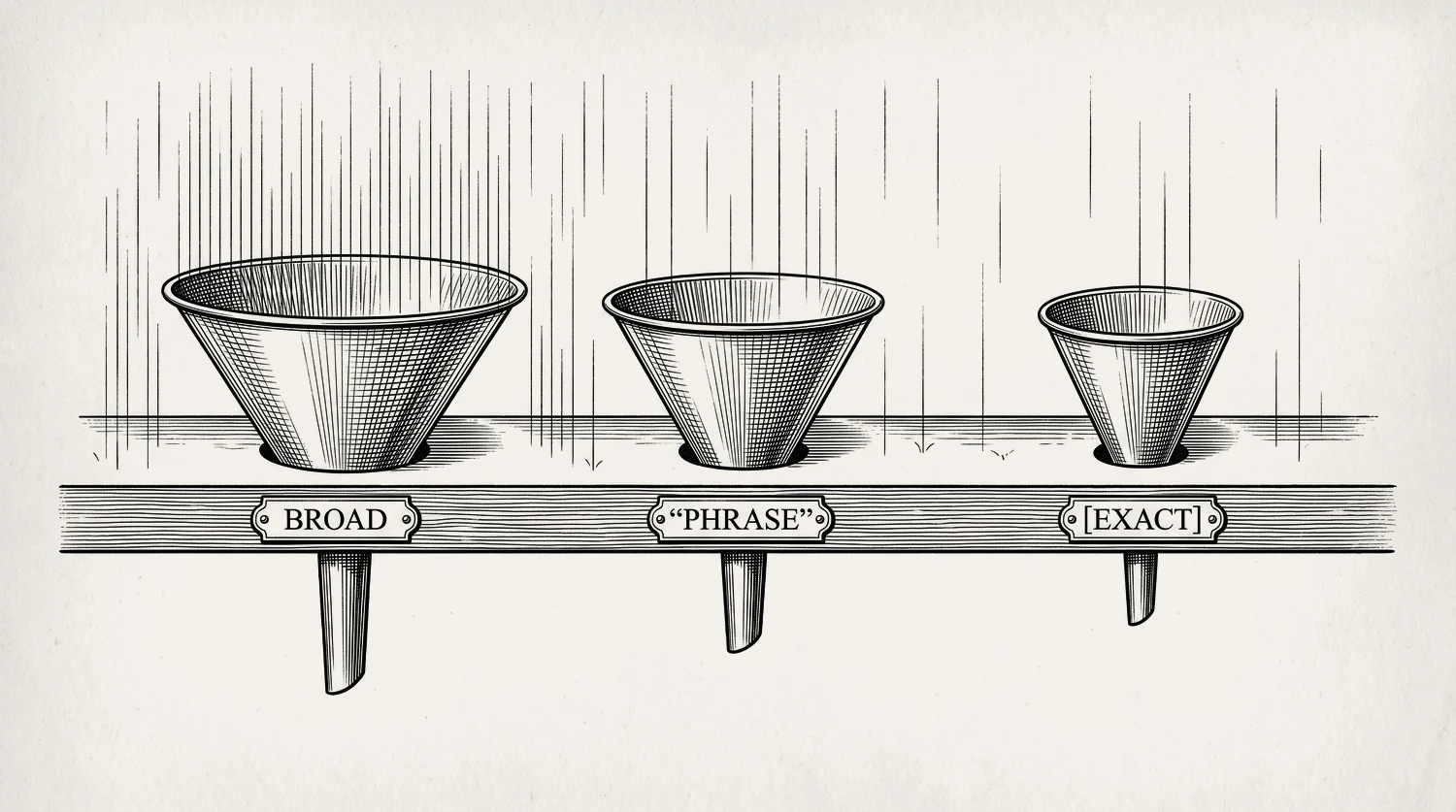
There are three match types, and they differ by how much room you give Google to interpret the search. Broad match gives the most room and shows for related searches. Phrase match gives less and shows for searches that include your keyword’s meaning. Exact match gives the least and shows for the keyword and its very close variants. Here is how one keyword behaves across all three.
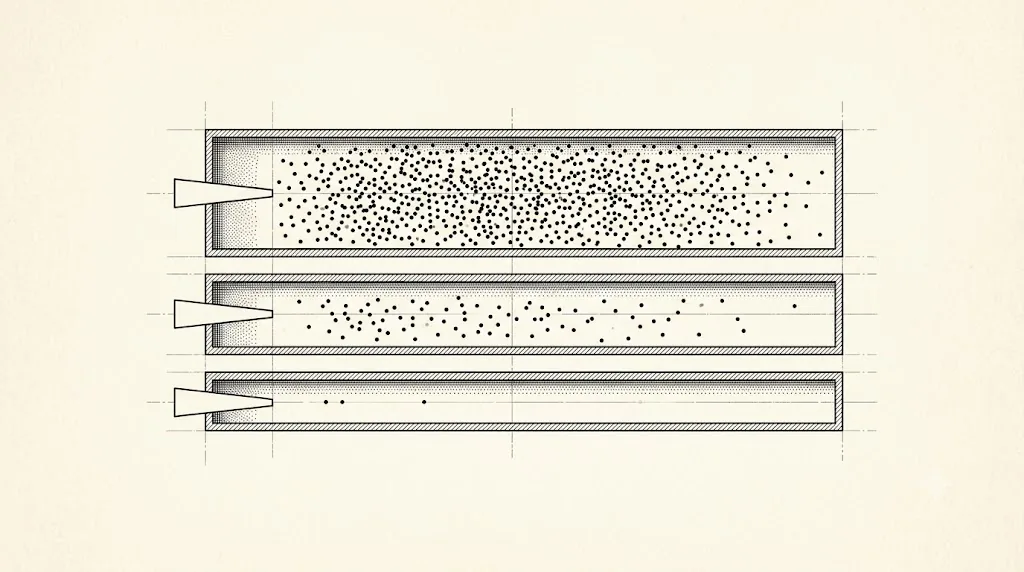
Take the keyword emergency plumber:
| Match type | How you write it | Example searches it can match | Reach |
|---|---|---|---|
| Broad | emergency plumber | “24 hour drain repair”, “who do I call for a burst pipe” | Widest |
| Phrase | "emergency plumber" | “emergency plumber near me”, “cheap emergency plumber” | Middle |
| Exact | [emergency plumber] | “emergency plumber”, “emergency plumbers” | Tightest |
The punctuation is the whole signal. No marks means broad. Quote marks mean phrase. Square brackets mean exact. Get the marks right and you have set the dial.
There is no separate match type button to hunt for. You type the punctuation into the keyword itself, in the keywords screen of your campaign. Type emergency plumber with nothing around it and Google treats it as broad, the loosest setting of the three. That is why so many accounts are on broad without anyone choosing it. Go and look at your own keyword list now. If most of your keywords have no quote marks or brackets, you are running broad by accident. It is the first thing we look for when an account is spending well and booking badly.
How does broad match work (and when is it a trap)?
Broad match shows your ad for any search Google thinks is related, even when none of your words appear. It has the widest reach and the least control. On its own, with manual bids and no negative list, it is the fastest way to burn a budget on searches you never wanted. That is the trap, and it catches most owners who leave keywords on the default.
Here is the part that has changed, and most old guides get it wrong. Broad match is no longer a last resort. Run the right way, it is now a deliberate lever for high-cost trades. The right way has three parts:
- Put it in its own campaign. Never mixed in with your exact and phrase keywords.
- Run it on Smart Bidding. That is Google’s auction-time bidding, built to chase conversions in every auction.[1] It needs conversion tracking on to work.
- Give it buying words, and guard it hard. Words a person uses when they are ready to pay someone: “hire”, “replacement”, “near me”. Then trim it every week with negative keywords.
Done this way, broad can pull ready-to-hire clicks for a fraction of what the same job costs on exact, and those clicks book at the same rate. Done the lazy way, it is a money pit. The difference is entirely the setup. Broad without Smart Bidding and negatives is not a strategy, it is a donation. How Smart Bidding works is covered in our Smart Bidding guide.
One honest warning before you reach for it. Broad match is a volume tap, and volume is only good news if your team can take the work. Turning it on when your calendar is already full just means more calls your office cannot service and more customers who never hear back. Open the tap when you have room, not before.
One warning if you are setting this up right now. There is a setting that switches a whole campaign to broad match in one click, and Google is retiring it. From September 2026, campaigns using that campaign-level broad match setting are upgraded to AI Max automatically.[2] Automatically means it happens whether you ask for it or not. So build your broad campaign by setting the match type on each keyword, not with that campaign-wide switch. And if you already run it, do not be surprised when the campaign starts matching wider than broad match ever did. Check your search terms report the week it happens.
How does phrase match work?
Phrase match shows your ad when the search includes the meaning of your keyword. Extra words before or after are fine, and Google now allows some words in the middle too. It is the middle ground between broad and exact: more reach than exact, more control than broad. For a long time it was the contractor’s safe default, and it still has a place.
An example. With the phrase keyword "window replacement", your ad can show for “cost of window replacement” or “window replacement near me”. The meaning is intact, so it matches.
One warning. Phrase match is not as tight as it used to be. Google now reads word order as meaning. Close variants blur the edges. So phrase often behaves close to broad. It still needs a negative list and a weekly search terms report check. Set it and forget it, and it drifts.
How does exact match work?
Exact match is the tightest control you have. Your ad shows for the keyword itself and its very close variants, and little else. More of those clicks turn into real calls, and it usually gives you the best cost per booked job. The search is exactly what you meant. For your proven money keywords, the ones you know book jobs, exact is home.
The catch is cost and ceiling. Exact match only shows for a narrow set of searches, so it caps your volume. And in competitive trades, exact keywords sit on the priciest clicks in the auction. Rising click costs mean an exact-only account can slowly price itself out and run short of volume. That is the reason broad has come back as a companion, not a replacement.
Note the phrase “very close variants”. Exact is no longer literal. The next section explains why that matters.
Which match type should a contractor actually use?
Match your match type to your account stage, not to a rule of thumb. A brand-new account with no data needs control, so it starts on exact and phrase. An account with clean conversion tracking and some history can add broad as a scaling lever. A high-cost trade fighting for volume can lean on broad in its own campaign. Here is the decision by stage.
| Your account stage | Match-type stance |
|---|---|
| Brand new, small budget, no booked-job data yet | Exact and phrase only. Keep tight control while you gather data. |
| Some booked jobs tracked, tracking clean | Keep exact and phrase. Add a separate broad campaign on Smart Bidding with a strong negative list. |
| Dear trade, crew has room, need more jobs at the same booking rate | Turn broad on in its own campaign, on Smart Bidding, fed buying words and trimmed hard with negatives every week. |
Notice what never changes. Exact and phrase stay, because they keep you tied to the jobs you meant to sell. Broad is added, in its own room, only once your tracking is real. And every stage runs a negative list. The negative match types, negative broad, phrase, and exact, are covered in full in our negative keyword master list. What a click from the wrong person costs you is in our cost breakdown by trade.
How do close variants change what your keyword matches?
A close variant is Google matching your keyword to a search that is not word-for-word the same: a plural, a misspelling, a synonym, or a reworded phrase. Close variants apply to all three match types. That is why exact match is no longer truly exact, and phrase no longer respects strict word order. It means match type alone can no longer fully protect your intent.
See how it plays out:
| Your keyword | A search it can match | What happened |
|---|---|---|
[water heater repair] (exact) | “water heater repairs” | Plural. Same meaning, harmless. |
[water heater repair] (exact) | “hot water system fix” | Synonym. Meaning is drifting. Watch it. |
"basement waterproofing" (phrase) | “waterproofing a basement” | Word order dropped. Meaning still close. |
[roof repair] (exact) | “roof repair cost” | A buyer checking price. Still worth having. |
The lesson is not to fear close variants. It is to check them. Google’s matching is good, but it will sometimes pull a search that means something else. The only place you see it happen is your search terms report. Review it weekly, and add a negative the moment a variant drifts off intent. Match type sets the guardrails. Negatives are the steering.
Do match types still matter with Smart Bidding and AI Max?
Yes, match types still matter, but their job has shifted, and 2026 shifted it again. The change is called AI Max. It is not a new campaign type. It is a setting you switch on inside a normal Search campaign, and it lets Google match searches that go past your keyword list altogether.[3] Google reads your website and your existing ads to decide what counts as relevant. It reached general availability in April 2026, so it is in front of every advertiser now.
Here is the part that decides whether it is safe for a contractor. Your keywords keep working with AI Max on. So do your negative keywords, and Google says so directly.[4] You also get real controls: brand exclusions, URL exclusions so it never sends traffic to the wrong page, and text guidelines on how it may write. Switched on with those set, it is a wider net you still hold the edges of. Switched on blind, it is spending decided by a machine that has never met your customers. Every one of those controls, and what to watch after you flip the switch, is in our guide to what AI Max changes and what you can still steer.
Our stance is unchanged by any of it. Control first for small accounts. Start on exact and phrase, get conversion tracking clean, and only then widen. The more real booked-job data you give Smart Bidding, the more you can trust it with reach. The less data you have, the more you hold the reins yourself. What has changed is that the reins are now negatives, exclusions, and a weekly report rather than match type alone.
If you want the deeper question of which match type feeds Smart Bidding best, we answer it in our guide to every bidding strategy and when to use it.
Stop reading · start fixingSee where your pipeline is leaking.Free 15-minute Leak Finder. We pull up your numbers, name your biggest leak, and hand you a 90-day plan. No sales script, no hard close.Find My Google Ads LeaksFAQ
Which keyword match type is best? There is no single best one. Exact match gives the best control, and usually the best cost per booked job. It suits proven keywords and small accounts. Broad match gives the most reach and volume. But it only works in its own campaign, on Smart Bidding, with a strong negative list. Most contractor accounts use exact and phrase first, then add broad.
What are the keyword match type symbols? Broad match has no symbol, you just type the keyword. Phrase match uses quotation marks, like “emergency plumber”. Exact match uses square brackets, like [emergency plumber]. The symbols are how you tell Google which match type you want. Type them wrong and your keyword defaults to broad, which is the widest and loosest.
Are keyword match types still relevant in 2026? Yes, though their role has changed. AI Max, which Google rolled out to everyone in April 2026, can match searches beyond your keywords entirely. Close variants blur the old lines too. So match type no longer fully controls intent on its own. It still sets your guardrails between reach and precision, and your negative keywords still apply either way. Paired with a weekly search terms report, match type is very much still a live control.
What is a close variant? A close variant is a search Google treats as near enough to your keyword to match it: a plural, a misspelling, a synonym, or a reworded version. Close variants apply to all match types, which is why exact match now catches more than the literal term. They are useful, but they can drift off intent, so watch them in your search terms report.
Should a small account use broad match? Not at the start. A small account with little conversion data should run exact and phrase for control. Get conversion tracking clean first. Broad match needs Smart Bidding and real data to stay efficient. Turn it on too early, with no negatives, and you pay to teach Google using your own budget.
- 1. Google Ads Help, “About Smart Bidding” ↩
- 2. Google blog, “Google’s Dynamic Search Ads are upgrading to AI Max” ↩
- 3. Google Ads Help, “Set up AI Max for Search campaigns” ↩
- 4. Google Ads Help, “Frequently asked questions about AI Max for Search campaigns” ↩
- 5. SearchLight, January 2026, 816 contractors, $14.9M spend
- 6. LocaliQ, 3,211 US campaigns, April 2024 to March 2025


