- How do you do keyword research for Google Ads?
- Emergency vs research intent: which home-services keywords actually book jobs?
- What types of keywords should a contractor target (and when)?
- How do you use Google Keyword Planner for a service business?
- How do you find the negative keywords while you research?
- How should you group keywords into ad groups by intent?
- Which match type should each keyword use?
- What keyword research mistakes waste a contractor's budget?
- FAQ
How do you do keyword research for Google Ads?
Google Ads keyword research is a five-step pass. You gather seed terms for each service. You expand them in Google Keyword Planner. You sort every keyword by buyer intent. You assign a match type. You build a negative list. Do it in that order, before the first click.
Here is the process:
- List your services as seeds. One line per job you want to sell. Emergency plumbing. Drain clearing. Furnace repair. Roof replacement. Window replacement. Basement waterproofing. Write down the jobs you want more of, not every job you can technically do.
- Expand each seed in Keyword Planner. Google shows you the real terms people type around that service, plus rough volume and click cost.
- Sort by who is ready to hire, not by how many people search. A term that gets 50 searches a month from people ready to hire beats a term that gets 5,000 from people just having a look. Fifty of the right searches can fill a week of work. Five thousand of the wrong ones fill nothing but your bill.
- Assign a match type per keyword. Exact and phrase for control. Broad only later, with the right setup. More on that below.
- Build the negative list as you go. Every junk term you spot becomes a negative before launch.
One thing to be clear about. This is research for paid ads. It is not SEO keyword research. SEO chases traffic and rankings over months. Ads research chases booked jobs this week. Same tool, different goal. We only cover the ads side here.
Two of these steps have their own guides. Match types are covered in full at how match types decide which searches you show up for. The negative list gets its own doc at the negative keyword master list.
Emergency vs research intent: which home-services keywords actually book jobs?
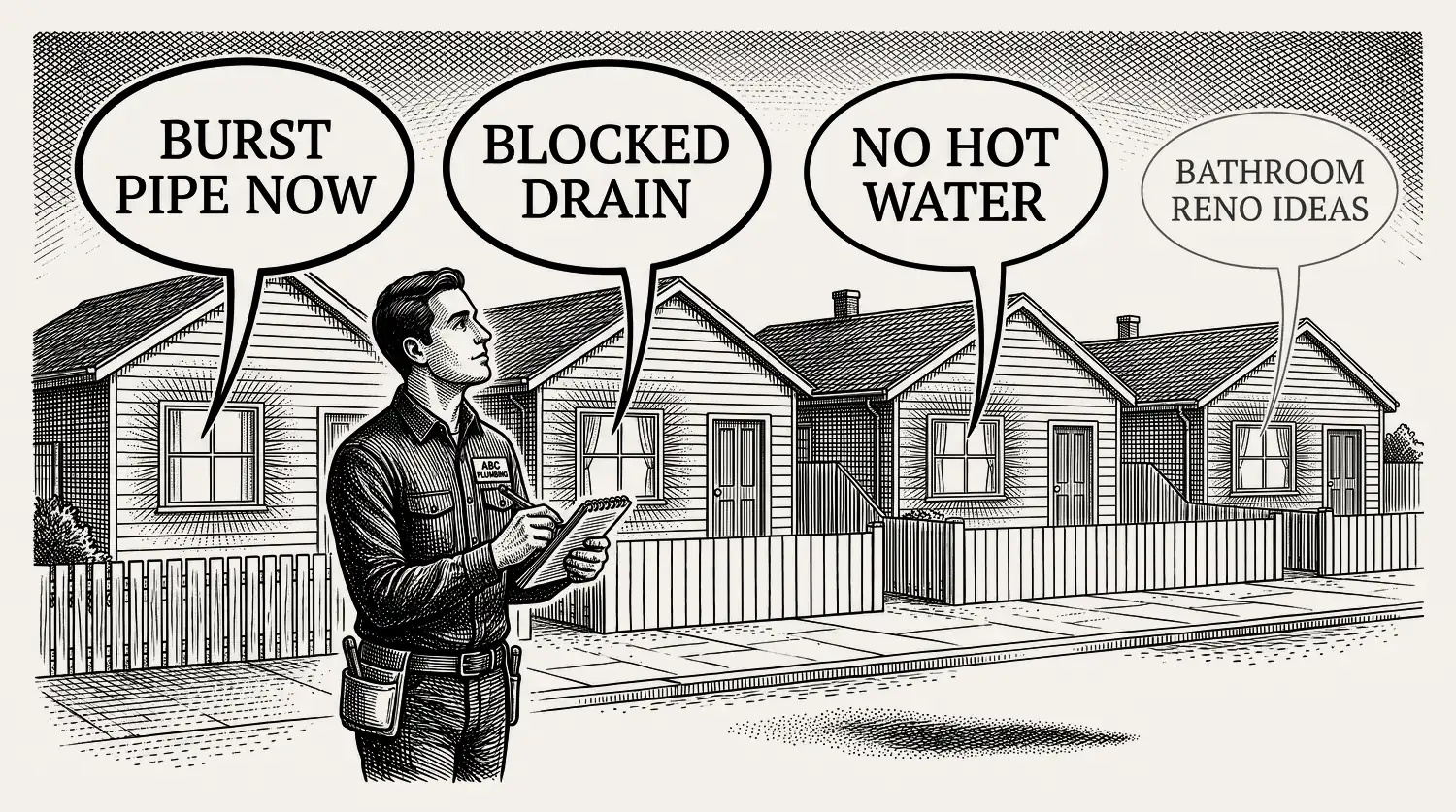
Not every search is ready to hire. A burst pipe at 11pm is pure emergency intent. Someone typing “how much does a new furnace cost” is weeks or months out. The job of research is to sort your keywords into intent tiers. Bid hard on the emergency end. Bid low or skip the research end. Intent decides what books jobs, not search volume.
Here is how the tiers look for a home-services account:
| Intent tier | What they type | Ready to hire | How to bid |
|---|---|---|---|
| Emergency | “burst pipe”, “no hot water”, “water in basement” | Now, calling in minutes | Bid hard, put call assets on your ads |
| Ready to hire | “furnace replacement quote”, “roof repair near me”, “window replacement in [town]” | This week, getting a few quotes | Bid steady, use service-plus-location terms |
| Research | “how to fix a leaky faucet”, “how much does a new roof cost” | Weeks out, or doing it themselves | Bid low, or skip on search ads |
Bid the top row hard only where you can back it up. Emergency searches book fastest, and they also punish you hardest. Someone with water coming through a ceiling will ring three contractors in five minutes and hire whoever picks up. So before you bid on “burst pipe” at midnight, make sure a real person is rostered to answer at midnight and a crew can be moving within the hour. If they cannot, run those hours off and put the money where your team can actually deliver.
A note on that top row, because it changed recently. Contractors used to serve emergency searches with call-only ads, which showed a phone number instead of a website link. Google stopped letting anyone create those in February 2026, and the ones still running stop serving in February 2027. The replacement is a call asset attached to a responsive search ad. Same outcome, one tap to ring you, just built a different way.
The research end is bigger than most owners expect. The most-typed home how-to searches are repair problems people try to fix themselves first, like “how to fix a leaky faucet” and “how to unclog a toilet”.[2] Those searchers are not calling a pro yet. Paying top dollar to show an ad there is a slow leak.
The ready-to-hire end is where the money sits. Local buying intent has been climbing for years. “Near me” searches that include “can I buy” or “to buy” grew over 500% between 2015 and 2017.[3] That is older, directional data, but the shape holds: more people search local, then hire fast.
So the real question for every keyword is simple. How ready is this person to book a job? Answer that first. Your bids follow from it. What a booked job should cost you is covered in our Google Ads cost guide.
What types of keywords should a contractor target (and when)?
Four keyword types earn a place in a home-services search account. High-intent commercial terms. Service-plus-location terms. Your own brand name. And, sometimes, competitor names. Pure informational terms, the “how to” and “what is” searches, stay out of your search campaigns. They belong to SEO, not paid ads.
- High-intent commercial. Your service plus a buying word. “Emergency plumber”, “furnace replacement cost”, “roof repair quote”. These are your core money keywords.
- Service plus location. “HVAC repair [suburb]”, “plumber near me”. Local intent is built in. These often convert best.
- Branded. Your own company name. Cheap clicks, and it stops competitors bidding on you. It gets its own campaign so the numbers stay clean.
- Competitor. Their name, your ad. Optional, and touchy. Only worth it when your offer clearly beats theirs, and expect a lower book rate.
Skip the research terms in search. “How to unclog a drain” buys you a reader, not a caller. If you want that traffic, earn it with content and SEO, where the click is free.
How do you use Google Keyword Planner for a service business?
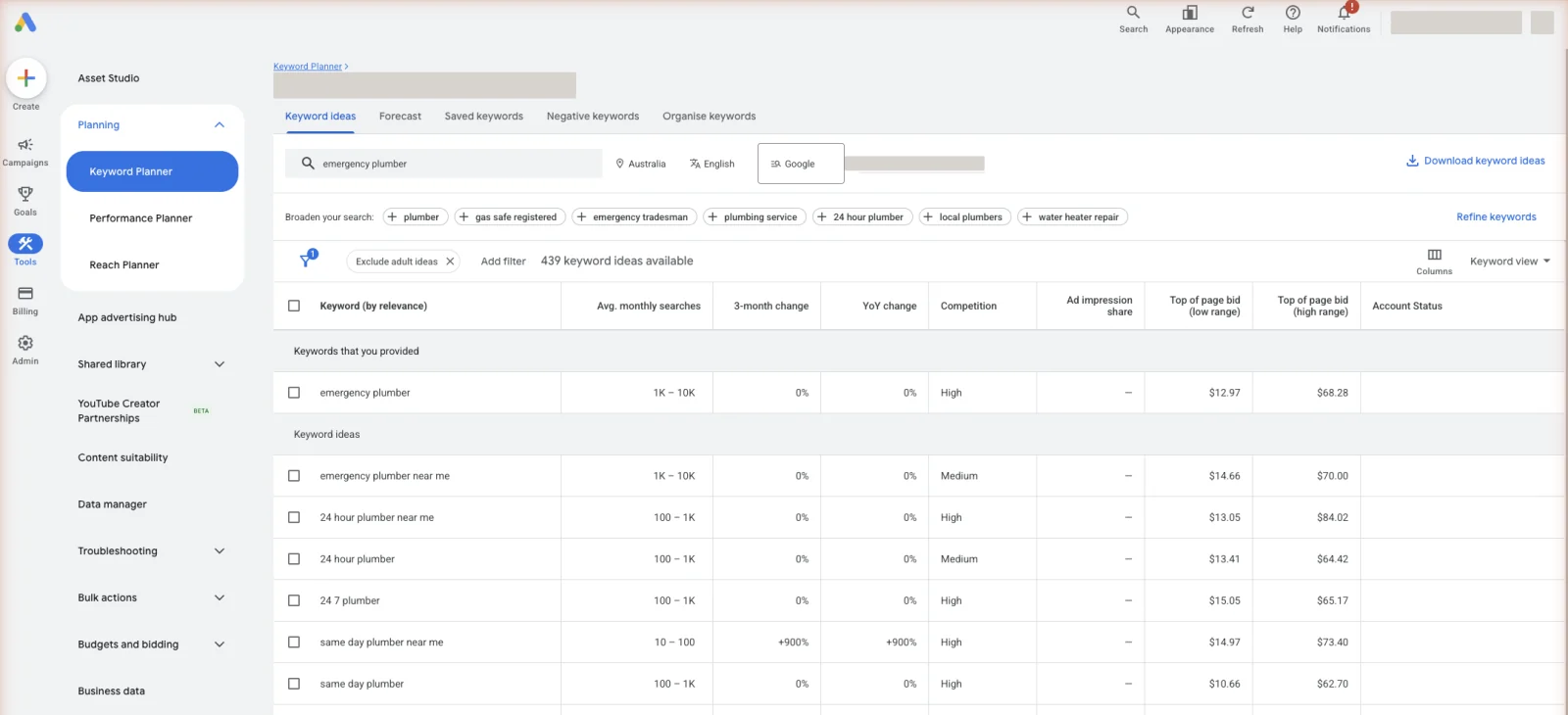
Keyword Planner is Google’s own free research tool. You get it with any Google Ads account, no spend required. It shows you real search terms around your services, rough monthly volume, and a top-of-page bid range so you can see what a click will cost. It is the honest starting point before your account has data of its own.
To use it:
Treat the numbers as estimates, not gospel. Keyword Planner shows you the market. It cannot tell you which term books jobs in your town. Only your own search terms report does that, once your ads are live. Research gets you started. Live data makes you money.
How do you find the negative keywords while you research?
You build the negative list during research, not after you have wasted money. As you read Keyword Planner suggestions, you will see terms you never want to pay for. Job seekers. DIY searches. Free and cheap shoppers. Services you do not offer. Write each one down. That list goes in before launch.
Four buckets catch most of the early waste: careers (“jobs”, “salary”, “apprenticeship”), do-it-yourself (“how to”, “diy”, “yourself”), price shoppers (“free”, “cheap”), and wrong service (a roofer blocking “gutter cleaning” they do not offer). The full, copyable list lives in our guide to blocking the searches you never want to pay for.
The list you build now is the starting guard. Your real ongoing source of negatives is the search terms report, reviewed every week once ads are running. Research stops the obvious waste. The weekly habit stops the rest.
How should you group keywords into ad groups by intent?
Group keywords so that every keyword in an ad group shares the same intent and can share one honest ad. That is the whole rule. When the ad mirrors the search word for word, more people click, more people call, and Google rewards you with a better Quality Score (Google’s 1-to-10 rating of how relevant your keyword, ad, and page are). Tight groups also make your search terms report readable.
The common mistake is one giant ad group holding every keyword. The burst-pipe searcher and the “furnace tune-up” searcher then see the same generic ad. Neither one feels understood. Split them. One ad group for emergency plumbing. One for drain clearing. One for hot water. Each with its own ad that speaks to that exact job. Sorting the list that way is the groundwork for a plumbing account that books the job it bid on.
Keep it simple to start. One service theme per ad group. A handful of close keywords in each. One or two strong ads per group. You can always split further once the data shows you a term deserves its own room.
Which match type should each keyword use?
Short verdict: start your money keywords on phrase and exact match for control, and add broad match only later, once you have conversion data and a strong negative list behind it. Exact and phrase keep your ad tied to the searches you meant. Broad reaches wider but needs Smart Bidding to stay honest.
Match type is a big enough topic that it has its own guide. The full rules, the tables, and the modern stance on broad match live in our match types guide. Broad match only earns its keep when it runs with Smart Bidding, which is Google’s auction-time bidding built to optimise for conversions.[4] How that bidding actually reads your keywords, and what it needs from you first, is set out in every bidding strategy and when to use it.
Does any of this research still matter now that Google can match searches on its own? Yes, and more than people assume. Google’s newer AI Max setting reads your website and your ads to find searches your keywords missed, but it works alongside your keywords rather than instead of them.[5] Your list is still the signal you send about what you sell and what you want. And the negative list you build in the next step still applies no matter how wide the matching gets. Skip the research and you are not simplifying, you are just handing over the steering.
What keyword research mistakes waste a contractor’s budget?
Most wasted budget traces back to five research mistakes:
- One giant keyword bucket. Every search gets the same ad. Google learns nothing about which clicks book jobs.
- Chasing volume over intent. The high-volume term is often the low-intent term. Big numbers, thin callers.
- No negative list at launch. You pay for “jobs”, “free”, and “how to” from day one.
- Ignoring the search terms report. Research is a guess until the real searches confirm it. Skipping the weekly check freezes your guesses in place. If someone else runs your account, ask to see that report. If they will not show it, that tells you something on its own.
- Bidding the same on emergency and research. The 11pm burst pipe and the someday roof replacement are not worth the same click. Pricing them the same wastes money on one and loses jobs on the other.
Fix these and your account gets simpler, not more complex. Fewer keywords, sorted by intent, guarded by negatives, and checked weekly. That is the whole job, whether you do it yourself or pay for the weekly pruning that keeps a keyword list honest.
Stop reading · start fixingSee where your pipeline is leaking.Free 15-minute Leak Finder. We pull up your numbers, name your biggest leak, and hand you a 90-day plan. No sales script, no hard close.Find My Google Ads LeaksFAQ
What is keyword research for Google Ads? It is the work of finding the exact searches your ready-to-hire customers type, then sorting them by intent and match type before you spend. For a home-services business, the aim is booked jobs from high-intent clicks, not raw traffic. It runs before launch and continues weekly from your search terms report.
How do I do keyword research for Google Ads? Start with your services as seed terms. Expand them in Google Keyword Planner. Sort the results by buyer intent, from emergency to research. Assign each keeper a match type, phrase or exact first. Build a negative list of junk terms. Then group the keywords into tight, intent-matched ad groups before you turn ads on.
What is the difference between SEO and PPC keyword research? SEO research chases traffic and rankings over months, so it targets informational searches like “how to fix a tap”. PPC research chases booked jobs this week, so it targets buying searches like “emergency plumber near me”. Same tools, different goals. This guide covers the paid-ads side only.
What are high-intent keywords in Google Ads? High-intent keywords are searches from people ready to hire now. For contractors that means a service plus a buying or urgency word: “furnace replacement quote”, “burst pipe”, “roof repair near me”. They cost more per click but book jobs far more often, which is what makes them worth the price.
Should I use exact match or broad match keywords? Start with exact and phrase match for control, especially with a small budget. They keep your ad tied to the searches you meant. Add broad match later, once you have conversion tracking, Smart Bidding, and a strong negative list. Broad without that setup is where budgets get burned. Full detail in our match types guide.


