- What is click fraud?
- Are competitors clicking your ads (and can they drain your budget)?
- Does Google detect and refund invalid clicks?
- How to tell if you've been hit by click fraud
- How to reduce click fraud on a local account
- Are click-fraud protection tools worth it for a contractor?
- What to do if you're being hit right now
- FAQ
What is click fraud?
Click fraud is when someone or something clicks your paid ads with no real intent to become a customer. The click costs you money but can never book a job. It comes from a few sources: automated bots, click farms paid to click at scale, and sometimes a competitor clicking to burn your budget. Google’s own term for these is “invalid clicks.”
The important word is “intent.” A real person who clicks, reads, and decides not to call is not fraud. That is just advertising. Fraud is a click with no genuine interest behind it at all. There are several types. What matters for you is that Google treats these clicks as invalid and, in most cases, does not charge you for them.
Are competitors clicking your ads (and can they drain your budget)?
This is the fear behind most searches for this topic. A competitor clicks your ad over and over. You watch your budget vanish on a roofing click that runs a $10.70 median, or higher in a competitive metro. It feels personal, and it can happen. But the reality is calmer than the panic.
Here is why. A person can only click so many times before the pattern is obvious. Google detects repeated clicks from the same source and voids them, so the charges get credited back. To do real damage, a competitor would need scale they usually do not have, and the more they try, the faster Google flags it. So yes, it happens. No, it rarely drains a well-set-up local account for long. Whether it is against the law is a separate question, and not one that gets your money back this week.
Does Google detect and refund invalid clicks?
It detects them, and this is the part the fraud-tool ads skip over. Google runs automated systems that filter invalid clicks before you are charged, and it reviews clicks after the fact too.
One word matters here, though. Google does not refund you. Its own help page says so plainly: “You won’t receive refunds for invalid traffic”.[2] If the junk is caught before you are invoiced, your reports are just adjusted and you never pay. If it is caught after, you get a credit. Either way the money comes back as advertising you can spend, not as cash in your bank account. You can watch it happen by adding the “Invalid clicks” column, which covers the last 60 days.
So the baseline protection is already on, for free, on every account. That does not mean it catches everything the instant it happens. Some junk slips through and gets caught on the later review, with the credit following. But it does mean your starting position is not “unprotected.” It is “protected by Google, with room to add a little more.” That framing changes what is actually worth paying for, which we get to below.
How to tell if you’ve been hit by click fraud
Do not guess from a feeling. Look at the data. Real fraud leaves a pattern, and a normal expensive week does not. The clearest sign is a jump in clicks, and in the share of people clicking, with no matching jump in calls or form fills. Lots more clicks, the same number of calls, or fewer. Money going out, no work coming in.
Other signs to check in your reports:
- Clicks from places you do not serve. Odd cities, other countries, or a cluster from one spot.
- Clicks at strange times. A spike at 3am when nobody is shopping for replacement windows.
- A sudden climb in your invalid-clicks figure. Google is already catching something.
- The same behaviour repeating from a narrow source. One region or device pattern doing all the damage.
One or two of these can be normal noise. Several together, lined up in time, is worth acting on.
How to reduce click fraud on a local account
You already have Google’s filtering. These steps add a sensible layer on top, and none of them cost extra. Do them in order.
Are click-fraud protection tools worth it for a contractor?
Honest answer: for most small local accounts, usually not. The tools are sold hard, with scary numbers and a countdown of your “wasted spend.” But they are pitching against a problem Google already handles for free, and their headline stats come from the companies selling the fix. That is worth remembering when you read them.
There are cases where a tool earns its keep. A big account might see a return. Think heavy spend in a cut-throat, high-cost trade, a known competitor problem, and clear evidence of clicks slipping past Google’s filter. Most contractors are not that account. If you are spending a few thousand a month, your money is far better spent fixing the leaks that actually drain budget: tracking, targeting, and having someone answer the phone when your crew is out on jobs. A fraud tool on a leaky account is a lock on a door with the window open. If you would rather not chase those leaks yourself, the same money buys someone who fixes the leaks instead of the locks.
What to do if you’re being hit right now
If the data shows a real attack in progress, here is the calm sequence. Do not panic-pause the whole account on the first odd hour, because that throws away real leads too.
- Confirm it is real. Check for the pattern above: clicks up, conversions flat, odd source, odd times. One weird afternoon is not an attack.
- Collect evidence. Screenshot the click spike, the locations, the times, and the invalid-clicks figure. Note the dates.
- Pause the affected campaign if the damage is real and ongoing. Not the whole account. Just the campaign under fire, and only while it is active.
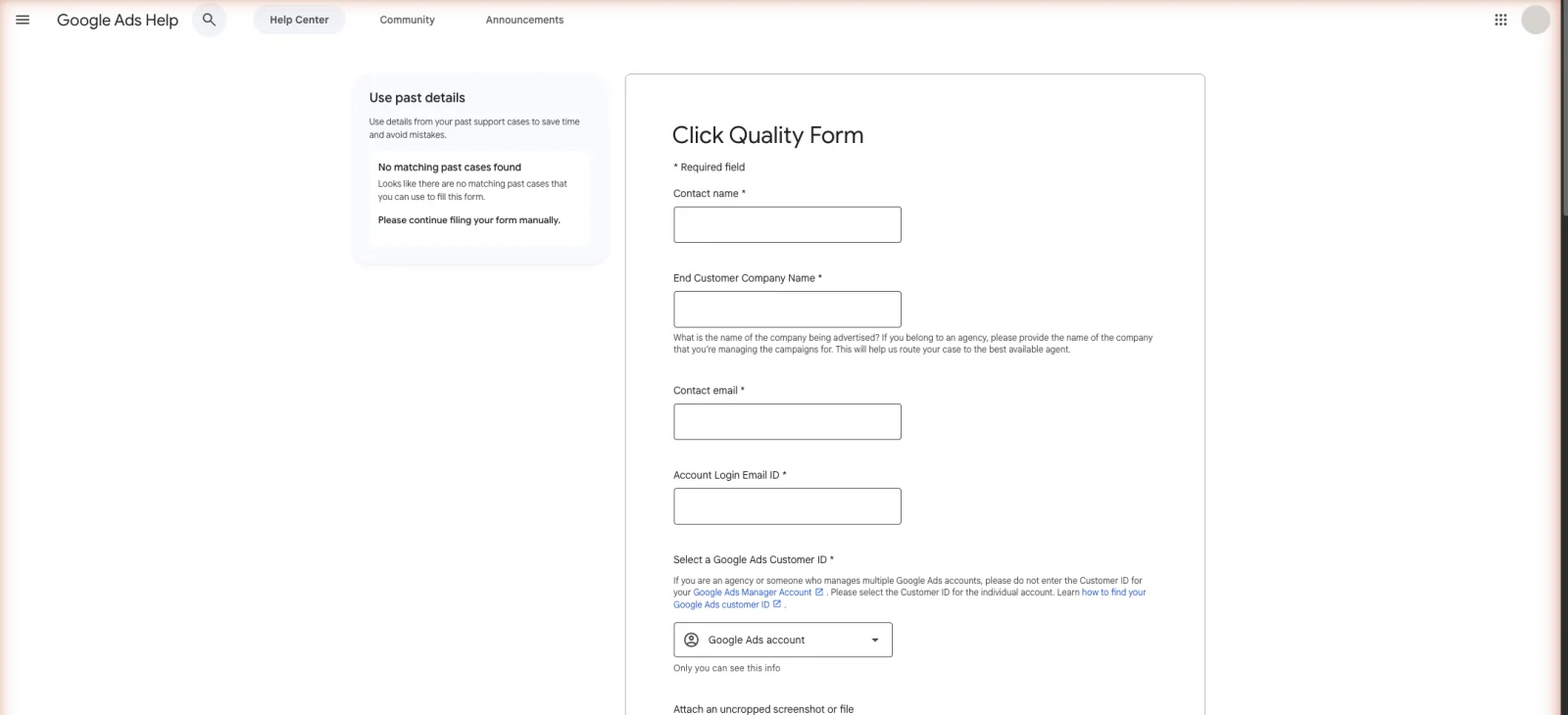
- Report it to Google. Send your evidence through Google’s Click Quality Form, so a person reviews it beyond the automatic credits. Google looks back over the previous 60 days, so do not sit on it for a month. Have your account ID, the date range, the campaigns and keywords involved, and your web server logs ready before you start. Whoever hosts your site can pull those logs for you. It is a normal request and takes them minutes.
- Then check the wider account. An attack is a good moment to find the other leaks. Run the audit checklist, and if results were already thin, the not working diagnosis covers the rest.
FAQ
Does Google refund fake clicks? Not as a refund, no. Google’s own wording is that you will not receive refunds for invalid traffic. What you get is an adjustment or a credit. Google filters most invalid clicks before you are charged, so the charge never lands. What slips through and gets caught later comes back as credit you can spend on ads. It happens automatically, without you asking, and you can see the total in the invalid-clicks column.
Can I block an IP address in Google Ads? Yes. You can exclude addresses on a single campaign, under Additional settings, or across the whole account under Admin, then Account settings. The limit is 500 per campaign. It helps against a persistent single source you can identify. It is limited, though, because serious bad actors rotate addresses, and Google’s own filtering does more of the heavy lifting.
Why are my clicks high but conversions low? It can be click fraud, but more often it is not. The usual causes are a landing page that does not match the search, over-broad keywords pulling the wrong traffic, or calls that go unanswered. Check those first. The not working guide walks through the full diagnosis before you blame fraud.
Should I pause my ads during a click-fraud attack? Only the affected campaign, and only if the data shows a real, ongoing attack. Pausing the whole account throws away real leads too. Confirm the pattern, collect evidence, pause the campaign under fire if needed, report it to Google, then restart once it settles.


