- What is the search terms report?
- Where do you find the search terms report?
- How do you generate and read a search terms report?
- Search terms vs keywords: what's the difference?
- The weekly search-terms ritual for contractors
- Turning search terms into negative keywords
- Mining search terms for new keywords and ad copy
- Why is so much search-term data hidden, and what can you still do?
- FAQ
What is the search terms report?
The search terms report is the list of real searches that triggered your ads. It is different from your keywords. Keywords are what you bid on. Search terms are what people actually typed. Because Google matches loosely, the two are never identical. The report is your one honest window into where your money went and what your customers really want.
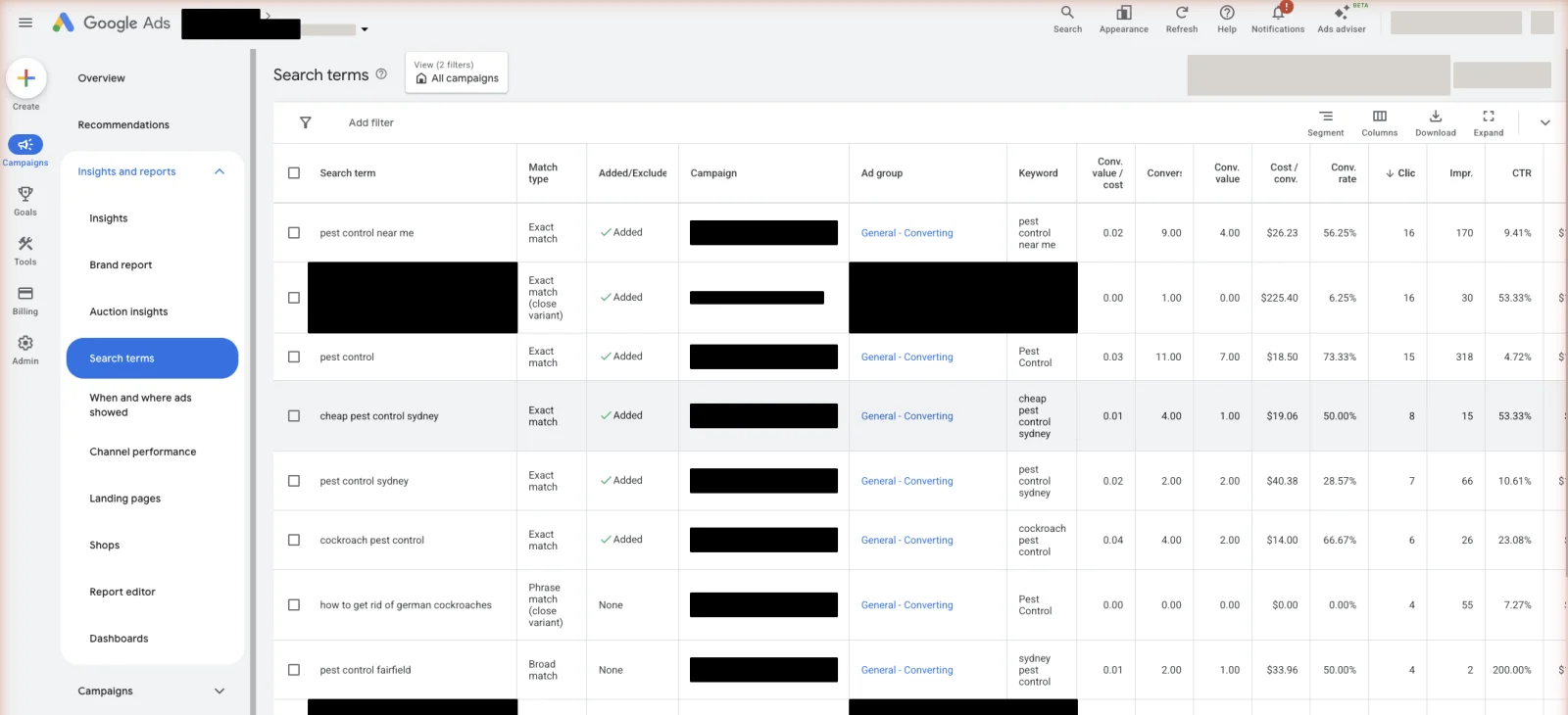
For a contractor this report is gold. It shows you the searches that cost money and booked nothing, so you can block them. It shows you the searches that booked jobs, so you can bid harder on them. And it shows you the exact words your customers use, which you can put straight into your ads. No other report tells you all three.
Where do you find the search terms report?
You find it inside Google Ads, at the campaign or ad group level. Open a Search campaign, go to Insights and reports, and choose Search terms. You can also open a campaign or ad group and click the Search terms view. Not every campaign type has one, so check which of yours does before you go looking.
Which campaigns show a full report:
- Search campaigns. Full search terms report. This is where you will spend your time.
- Search campaigns with AI Max on. Also a full report, plus a view of its own. Open the Search terms dropdown and pick “Search terms and landing pages from AI Max” to see which searches AI Max found and which page of your site it sent them to.
- Shopping campaigns. Full report, useful for product searches.
- Performance Max. A search terms report, though thinner than Search. It is most useful for spotting which searches actually converted.
- Display and video. No search terms report. These do not run on typed searches.
Dynamic Search Ads used to sit on this list with a search terms view of its own. It is on the way out. Google stops letting anyone create new Dynamic Search Ads campaigns in September 2026, and upgrades the remaining ones to AI Max in February 2027.[2] If you still run one, read its report the same way in the meantime.
If most of your budget is in Search, most of your attention belongs here.
How do you generate and read a search terms report?
Pull the report, then read it in a set order: match-type column first, then sort by spend, then by conversions. This tells you two things fast. What each search cost you, and what it earned you. The searches that cost a lot and earned nothing are your negatives. The searches that earned well are your next keywords.
To do it:
Two passes down the list, one by cost and one by conversions, is enough. You are looking for junk to block and winners to promote. Everything else can wait.
Search terms vs keywords: what’s the difference?
A keyword is a term you add to a campaign, along with a match type, to tell Google which searches you want. A search term is the actual phrase a person typed. They diverge because match types let Google match loosely. A phrase or broad keyword can trigger your ad for dozens of searches you never typed yourself. The report is where you see that gap.
An example. You bid on the keyword "drain cleaning". Your ad shows for the search “24 hour blocked drain near me”. You never added that exact phrase. The match type bridged the gap. That is often good, it caught a real job, but it is also how junk sneaks in. How loose each match type is changes how you read the report. The full detail is in keyword match types, explained for home services.
The weekly search-terms ritual for contractors
Check your search terms report once a week on any active account. Weekly is the right pace for a contractor. Trade clicks are expensive, and a bad match can drain a budget in days. Monthly is too slow when a single wrong click costs ten dollars or more. Each pass has two moves and takes fifteen minutes: block the junk, promote the winners.
If someone else runs your ads, ask them to send you this report every week. You do not have to read every line. You are checking two things: that the blocked list is growing, and that they can name the searches that booked real work. Anyone who cannot answer that second question is not reading the report either. That weekly pass is most of what good Google Ads management actually buys you.
Here is a method that makes a long list manageable. Do not judge one search at a time. Group them by the words inside them. Read down the report and notice which single words and word pairs keep showing up: “job”, “free”, “how to”, “near me”, the name of a suburb you do not serve. Then judge the whole group at once. A word that appears in ten wasted searches is one negative, not ten decisions. This grouping trick turns an hour of squinting into a few clean calls.
Sort each group by what it costs and what it books. A group that spends and never books is a block. A group that books well is a promote. The number to judge these groups against is your cost per booked job. That number only exists if someone in your office writes down which leads turned into work, so give that job a name. Our guide to home-services lead prices covers the figure to aim at.
Turning search terms into negative keywords
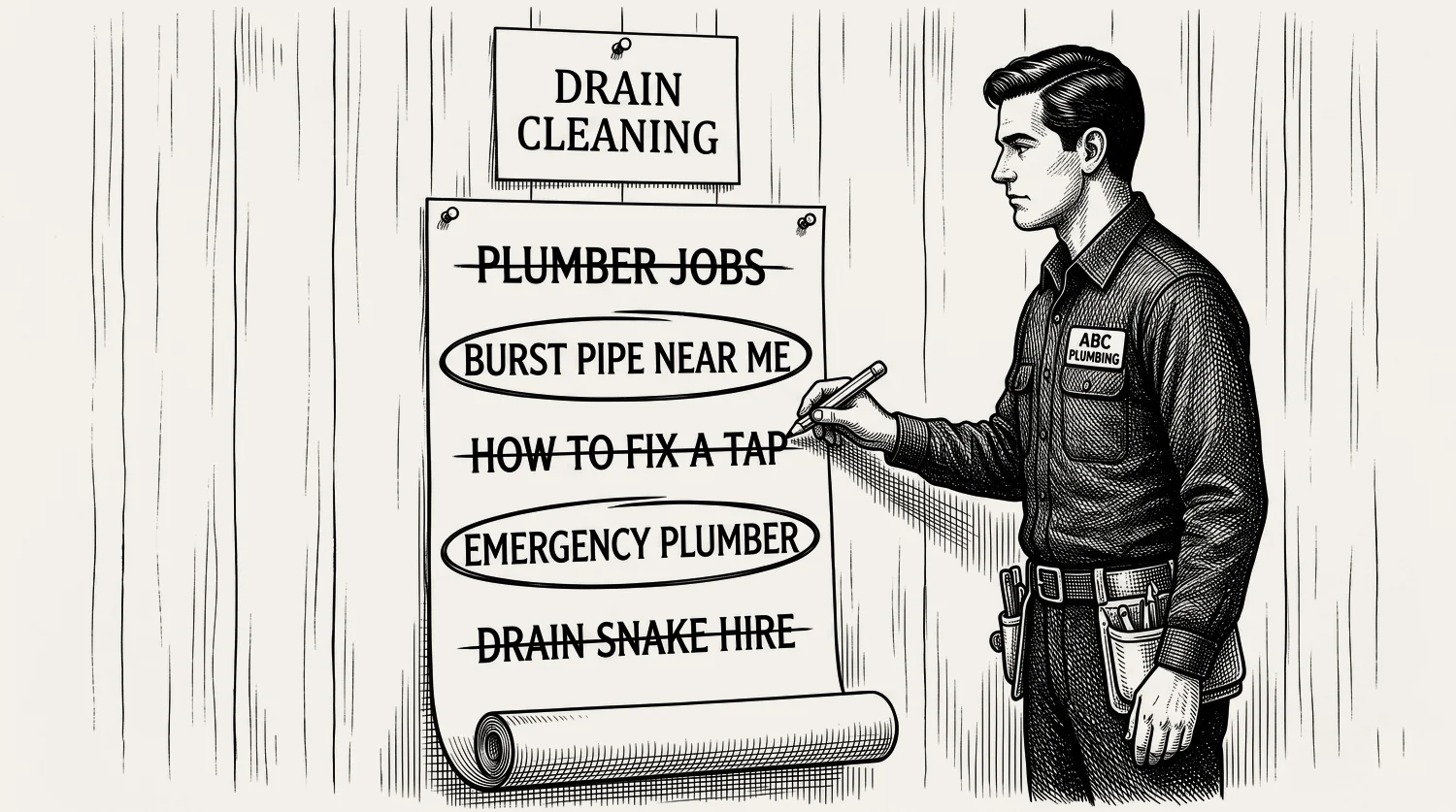
The most common use of the report is finding negative keywords. As you read, you will spot searches that had no chance of booking: job seekers, do-it-yourselfers, wholesale and parts buyers, and people in areas you do not serve. Each one becomes a negative keyword so you never pay for it again. This is the report’s bread and butter, and it is the reason the account stays clean.
Add the junk to a shared negative keyword list at the account level, so one edit protects every campaign. Use negative broad for whole themes, like careers or DIY, and negative phrase or exact for a single unwanted search. The full mechanics, the match types, the levels, and a copyable master list, live in the negative keyword master list for home services. The report finds the junk. That guide shows you how to block it cleanly.
Mining search terms for new keywords and ad copy
Blocking junk is only half the job. The report is also your best source of new keywords and better ad copy. When a search converts well but is not yet one of your keywords, promote it: add it as its own exact or phrase keyword so you can bid on it directly. And read the language people use. Their exact words, dropped into your ads and landing pages, lift relevance. They lift your Quality Score too (Google’s 1-to-10 rating of how well your keyword, ad, and page fit the search).
For example, if homeowners keep searching “storm damage roof repair” and those searches book jobs, you have found three things at once: a keyword to add, a headline to write, and a promise to put on the page they land on. Reading the report that way in the week after a storm is how storm and hail work gets caught while the demand is still live. The words that win in the report are the words that win in the ad. That relevance is what a better Quality Score rewards, and why a low score costs you on every click is covered in its own guide.
Why is so much search-term data hidden, and what can you still do?
Google does not show you every search term. In its own words, search terms that do not have enough query activity are left out of the report to meet its data privacy standards.[3] So you see the searches a meaningful number of people typed, and not the long tail below that. How much is missing? Agencies and Search Engine Land have reported estimates as high as 80 percent of terms in some accounts. Treat that as agency reporting, not a hard figure from your own account. What you can trust is the gap you can measure in your own report, where “Other search terms” holds the part you cannot see.
One trap to know if you run AI Max. When you filter the report by match type “AI Max”, the totals come back lower than the real figure, because that filter skips the “Other search terms” bucket. Do not read the filtered number as all the volume AI Max brought you.
You cannot force the hidden terms into view, but you are not blind either. Three things still work:
- Watch the visible terms closely. The ones you can see are still the bulk of your spend. Manage them well and the hidden tail matters less.
- Lean on Smart Bidding for the broad campaigns. When you run broad match, Google’s bidding uses signals you cannot see to chase the clicks most likely to turn into a job. Which match type feeds Smart Bidding best is covered in the match types guide.
- Read it alongside other reports. Two more reports fill the gap. Impression share tells you how often your ad showed out of all the times it could have. Auction insights shows which rival firms turn up next to you. Read together, they tell you whether the hidden searches are helping or hurting, even when you cannot name them.
The hidden data is frustrating. It does not stop the weekly ritual from working. The visible searches are still where most of your money is won or lost.
Stop reading · start fixingSee where your pipeline is leaking.Free 15-minute Leak Finder. We pull up your numbers, name your biggest leak, and hand you a 90-day plan. No sales script, no hard close.Find My Google Ads LeaksFAQ
How often should I check the search terms report? Weekly on any active account. Trade clicks are expensive, so a bad match can drain a budget in days. Monthly is too slow to catch it. A weekly fifteen-minute pass, blocking junk and promoting winners, keeps the account clean. On a brand-new campaign, check it every few days at first while the data is raw.
Why are some search terms missing from my report? Google hides low-volume search terms, which it says protects user privacy. They sit in the “Other search terms” bucket. Agency reporting has estimated the hidden share can be large, but you cannot see the terms themselves. Focus on the visible searches. They still carry most of your spend. Pair the report with impression share, which shows how often your ad showed out of all the times it could have, for the fuller picture.
What is the difference between search terms and keywords? A keyword is what you bid on, added with a match type. A search term is what a person actually typed. Match types let Google match loosely, so one keyword can trigger many search terms you never added. The report shows that gap, which is where both wasted spend and new keyword ideas hide.
Which campaigns have a search terms report? Search and Shopping campaigns have a full search terms report. Search campaigns running AI Max get an extra view showing the searches it found and the pages it sent them to. Performance Max has a report too, though a thinner one. Display and video campaigns have none, because they do not run on typed searches.
Can I see 100% of my search terms? No. Google withholds a share of low-volume terms for privacy, so no account sees every term. You see the ones with enough volume, which is usually most of your spend. You cannot see the rest. But you can manage the visible terms well. Read them alongside impression share (how often your ad showed) and auction insights (who else turns up in the same searches) to stay ahead.


